
7 Powerful AI Tools for Teachers’ Lesson Planning in 2026
7 Powerful AI Tools for Teachers’ Lesson Planning in 2026 – Automate Smarter Teaching
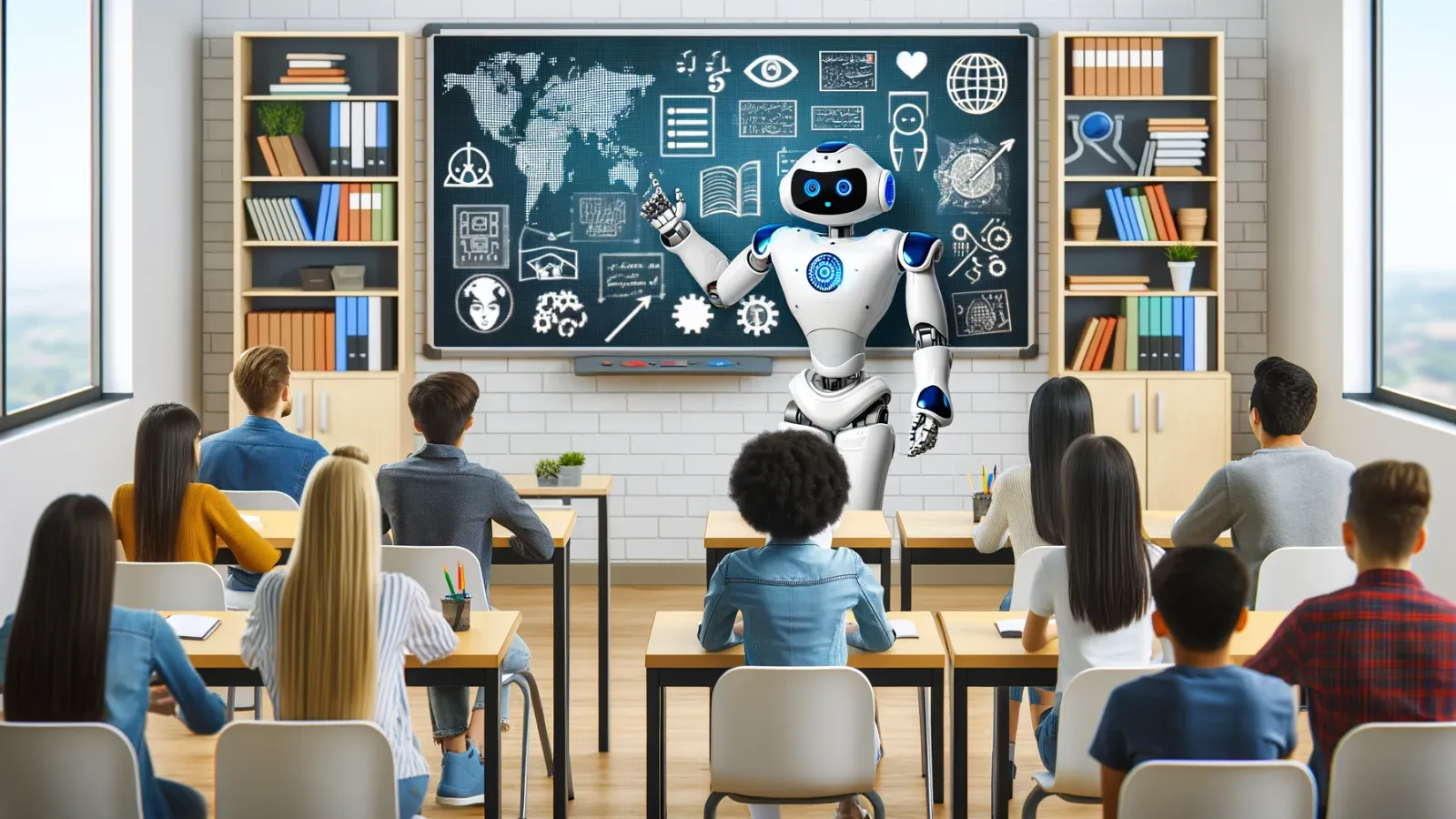
7 Powerful AI Tools for Teachers’ Lesson Planning in 2026 has transformed classrooms into smart learning ecosystems where time is reclaimed for meaningful student connection. In 2026, education is undergoing one of its most significant transformations as Artificial Intelligence becomes deeply integrated into classroom planning, instruction design, and student engagement. The traditional image of teachers spending late nights preparing lesson plans, grading assignments, and designing worksheets manually is rapidly fading. Instead, AI-powered tools are reshaping education into a smarter, more efficient, and more personalized system where teachers can focus on what truly matters—student connection, creativity, and meaningful learning experiences.
AI tools for teachers’ lesson planning are no longer optional innovations; they are becoming essential components of modern teaching. These platforms analyze curriculum standards, learning objectives, and student performance data to instantly generate structured lesson plans, assessments, worksheets, and interactive classroom activities. As a result, educators are experiencing reduced workload pressure, improved teaching quality, and more time to engage with students on a personal level. This shift is not just technological—it is deeply transformational for the entire education system.
As we move further into 2026, the most valuable skill for educators is no longer just subject expertise, but the ability to effectively use and manage AI tools in education. This concept, often referred to as “AI orchestration,” allows teachers to combine human creativity with machine intelligence to deliver more impactful learning experiences.
Why AI Tools Are Transforming Lesson Planning in 2026
AI-powered lesson planning tools are revolutionizing how educators design and deliver content. Instead of spending hours manually creating lesson plans, teachers can now generate high-quality, standards-aligned instructional materials within minutes. These tools reduce administrative workload, improve lesson consistency, and ensure that educational content is tailored to different learning abilities.
One of the most powerful advantages of AI in education is personalization. Every classroom consists of students with different learning speeds, abilities, and needs. AI tools help teachers differentiate instruction effortlessly by adapting content for various reading levels, learning styles, and academic requirements. This ensures that no student is left behind, while advanced learners continue to be challenged appropriately.
Furthermore, AI enhances instructional quality by aligning lesson plans with curriculum standards, suggesting engaging activities, and generating assessments that accurately measure student understanding. This allows teachers to focus less on repetitive planning tasks and more on delivering meaningful instruction and mentorship.
1. MagicSchool.ai: The All-in-One Teaching Assistant
MagicSchool.ai has become one of the most powerful and widely used AI platforms for educators in 2026. It functions as a complete teaching assistant that helps generate lesson plans, quizzes, rubrics, and differentiated instructional materials in seconds. Teachers can input a topic, standard, or even a resource like a PDF or YouTube video, and the platform instantly creates structured educational content.
The system is particularly valuable for K–12 educators who need quick, standards-aligned lesson plans that can be adapted for diverse classrooms. One of its most impactful features is its ability to support individualized education plans, helping teachers modify lessons for students with special learning needs without additional manual effort.
-
Best For: K-12 teachers who need standards-aligned plans in seconds.
-
Key Feature: The “IEP Suggestion Tool” and “Lesson Wrapper.” It doesn’t just give you a plan; it suggests how to differentiate that plan for students with diverse needs.
-
How it automates: You can input a YouTube URL or a PDF, and MagicSchool will generate a 5E lesson plan, a 10-question quiz, and a rubric—all within 60 seconds.
2. Brisk Teaching: Seamless AI Inside Your Browser
Brisk Teaching is a powerful Chrome extension designed to integrate directly into tools educators already use, such as Google Docs and Google Classroom. Instead of switching platforms, teachers can access AI assistance directly within their workflow, making lesson planning faster and more efficient.
This tool allows educators to instantly adjust reading levels, generate quizzes, and create instructional content without leaving their document. Its seamless integration with Google Workspace makes it especially valuable for schools already operating within the Google ecosystem, significantly reducing planning time while improving content quality.
-
Best For: Teachers who use Google Workspace (Docs, Slides, Classroom).
-
Key Feature: The “Write with AI” button directly inside Google Docs.
-
Automation Power: It can instantly change the reading level of any article on the web to fit your students’ specific grade level, then automatically generate a comprehension check.
3. Eduaide.ai: The Instructional Design Specialist
Eduaide.ai is designed for educators who want more creative and structured lesson planning support. It offers a wide range of instructional tools, including activity generators, discussion prompts, assessments, and even interactive learning experiences such as escape rooms and debates.
What makes Eduaide.ai particularly powerful is its focus on Universal Design for Learning (UDL), ensuring that lesson plans are inclusive and accessible from the beginning. This helps teachers design lessons that accommodate different learning abilities while maintaining academic rigor and engagement.
-
Best For: Creating engaging, non-traditional classroom activities.
-
The “Million Dollar” Edge: It focuses on Universal Design for Learning (UDL). It ensures your automated plans are accessible to everyone from the start.
4. Curipod: Interactive Learning Made Simple The Best AI Tools for Teachers
Curipod focuses on transforming traditional lesson plans into interactive, student-centered experiences. Instead of static presentations, it generates dynamic slide decks that include polls, quizzes, word clouds, and drawing-based activities.
Teachers can simply enter a topic, and Curipod automatically builds an engaging lesson presentation that encourages active student participation. This makes it especially effective for live classroom environments where engagement and interaction are essential for learning success.

-
Best For: High-engagement “Live” lessons.
-
Automation: Type in “Photosynthesis for 5th Grade,” and Curipod builds a 15-slide interactive presentation with built-in formative assessments.
5. Diffit: Mastering Differentiated Instruction
Diffit is one of the most effective tools for handling classroom diversity and differentiation. It allows teachers to take any piece of content and instantly adapt it for different reading levels, making it ideal for mixed-ability classrooms and ESL learners.
For example, a complex academic article can be transformed into simplified versions suitable for younger students, complete with vocabulary support and comprehension questions. This drastically reduces the time required for differentiation while ensuring that all students can access the same core content.
-
Best For: Diverse classrooms and ESL/ELL teachers.
-
Key Feature: “Adapt any resource.” You can take a complex New York Times article and, with one click, get a version written for a 3rd grader, complete with a vocabulary list.
6. Khanmigo (by Khan Academy): The AI Teaching Partner
Developed by Khan Academy, Khanmigo acts as a virtual co-teacher that assists educators in designing lesson plans, creating syllabi, and developing classroom activities through conversational interaction.
Instead of simply generating answers, Khanmigo engages teachers in a guided planning process by asking clarifying questions and refining instructional ideas. This ensures that lesson plans remain aligned with the teacher’s personal style and classroom goals while benefiting from AI-powered structure and suggestions.
-
Best For: Socratic teaching and student-facing AI support.
-
Automation: It can help you draft a syllabus or a lesson outline by asking you clarifying questions, ensuring the final product matches your unique teaching voice.
7. Google Gemini for Education: Data-Driven Lesson Planning
Google Gemini has become deeply integrated into Google Classroom, making it one of the most advanced AI tools for education in 2026. It analyzes student performance data, curriculum requirements, and past assignments to suggest optimized lesson plans for future classes.
Its ability to create custom AI models, known as “Gems,” allows schools to train the system based on their specific curriculum standards and teaching methodologies. This makes lesson planning highly personalized, data-driven, and aligned with institutional goals.

-
Best For: Data-driven instruction.
-
Key Feature: “Gems.” You can create a custom “Gem” (a mini-AI) trained specifically on your school’s curriculum and grading rubrics.
Why AI-Powered Lesson Planning is a “Million Dollar Skill”
In modern education, efficiency and effectiveness are key to long-term success. Teachers who leverage AI tools gain a significant advantage by saving time, reducing workload stress, and improving instructional quality. AI eliminates repetitive administrative tasks, allowing educators to focus on creativity, mentorship, and student development.
AI also improves lesson consistency by aligning content with academic standards and providing real-time insights into student performance. This ensures that teaching is not only faster but also smarter and more impactful.
Most importantly, AI enables personalization at scale. Tasks that once took hours—such as differentiating instruction or designing assessments—can now be completed in seconds, allowing teachers to respond more effectively to individual student needs.
How to Choose the Right AI Tools for Lesson Planning
Selecting the right AI tool depends on several important factors. Teachers should first define their instructional goals, such as whether they need full lesson generation, assessment creation, or student engagement tools. It is also important to choose platforms that align with curriculum standards and support differentiation for diverse learners.
Ease of use is another critical factor, as teachers need tools that integrate smoothly into their daily workflow without requiring technical expertise. Compatibility with platforms like Google Classroom or other LMS systems ensures seamless adoption. Additionally, data privacy and security compliance must always be prioritized to protect student information.
2. Check Curriculum & Standards Support
A good AI lesson planner should be able to:
-
Align plans with national or regional curriculum standards
-
Adapt content to grade level and subject area
-
Offer flexibility for project-based learning or differentiated instruction
Compatibility with your curriculum ensures relevance and classroom success.
3. Look for Personalization & Adaptivity
The best AI tools don’t just generate static lessons — they:
-
Adjust based on student performance data
-
Suggest differentiated activities for varied learning levels
-
Provide insights into areas where students may struggle
This makes your lessons more meaningful and tailored.
4. Evaluate Ease of Use
A tool can be powerful, but if it’s hard to use, it won’t save you time.
Ask:
-
Is the interface intuitive?
-
Does it offer templates or one-click lesson creation?
-
Can you export and edit lessons easily?
A simple, teacher-friendly design is key to adoption.
5. Assess Integration Options
Make sure the AI lesson planner works smoothly with tools you already use, like:
-
Learning management systems (LMS) e.g., Google Classroom
-
Gradebooks and assessment tools
-
Digital whiteboards
Good integration minimizes extra work.
6. Review Security & Privacy
Ensure the AI tool follows education privacy standards:
-
FERPA, GDPR, or local data protection laws
-
Student data encryption
-
Clear privacy policies
Protecting student information should be non-negotiable.
7. Try Before You Commit
Whenever possible:
-
Use a free trial
-
Test with real lesson planning
-
Compare output quality and workflow
Hands-on testing reveals strengths and limitations you won’t see in descriptions.
Conclusion
AI tools for teachers’ lesson planning in 2026 are redefining the future of education by combining efficiency, personalization, and creativity. Platforms like MagicSchool.ai, Eduaide.ai, Curipod, Diffit, Khanmigo, Brisk Teaching, and Google Gemini are empowering educators to move beyond administrative burden and focus on meaningful teaching experiences.
This technological shift is not about replacing teachers but enhancing their capabilities. By automating repetitive tasks and providing intelligent support, AI allows educators to reclaim time, improve lesson quality, and create more engaging and inclusive learning environments. As education continues to evolve, mastering AI tools is becoming one of the most valuable skills for modern teachers, shaping a future where technology and human connection work together to transform learning.
Frequently Asked Questions (FAQs) About AI Tools for Teachers’ Lesson Planning in 2026
1. What is the best AI tool for lesson planning in 2026?
The “best” AI tool really depends on what a teacher needs, but in 2026, MagicSchool.ai and Eduaide.ai are widely considered the most complete and reliable options. MagicSchool.ai is especially popular because it offers a large collection of teaching-focused tools, including lesson plan generators, rubric creators, and support for individualized education plans (IEPs). On the other hand, Eduaide.ai stands out for its creativity and instructional design support, helping teachers quickly build engaging, standards-aligned lessons, activities, and learning hooks that make classroom teaching more dynamic and effective.
2. Can AI really create a full week of lesson plans?
Yes, modern AI tools are capable of generating complete weekly lesson plan outlines within seconds. These platforms can organize content, suggest classroom activities, and even include assessments based on learning objectives. However, the best results come when teachers use AI as a supportive assistant rather than a full replacement. Think of AI as a helpful planning partner—it prepares the structure and ideas, while teachers refine and personalize the lessons based on their students’ real classroom needs, behavior, and learning progress.
3. Are AI-generated lesson plans aligned with education standards?
Most advanced AI education tools in 2026 are designed to follow recognized academic frameworks such as Common Core, IB, TEKS, and other national or regional standards. Platforms like Khanmigo and Panorama Solara allow educators to input or select specific curriculum guidelines, ensuring that all generated lesson plans remain structured, relevant, and academically compliant. This helps teachers maintain consistency while still benefiting from automation and faster lesson creation.
4. How does AI support differentiated instruction in classrooms?
AI has become extremely valuable for differentiated instruction because it can quickly adapt content to match different learning levels within the same classroom. For example, tools like Diffit can instantly rewrite reading passages for multiple grade levels, making complex topics easier or more advanced depending on student needs. AI can also suggest learning support strategies for ESL/ELL students and modify assessments for learners with IEPs. This significantly reduces the time teachers spend manually adjusting content while ensuring every student receives appropriate support.
5. Is student data safe when using AI tools for lesson planning?
Yes, data privacy is a top priority in modern AI education platforms in 2026. Most trusted tools are fully compliant with regulations such as FERPA and COPPA, ensuring that student information is handled securely. Many platforms are designed to function without requiring personal student data, focusing instead on general classroom inputs. As a best practice, educators should avoid entering sensitive or personally identifiable information (PII) into general AI tools and should always use verified education-focused platforms for classroom planning.
6. Do teachers need technical skills to use AI tools in the classroom?
No, teachers do not need advanced technical knowledge to use AI tools effectively. Most modern platforms are designed with simple, user-friendly interfaces that work through natural language, meaning educators can interact with them just like they would speak or write to a colleague. Whether it is generating lesson plans, creating quizzes, or designing activities, teachers can easily use AI by typing simple instructions. This makes AI accessible to all educators, regardless of their technical background, and helps them integrate it smoothly into their daily teaching workflow.





One Comment