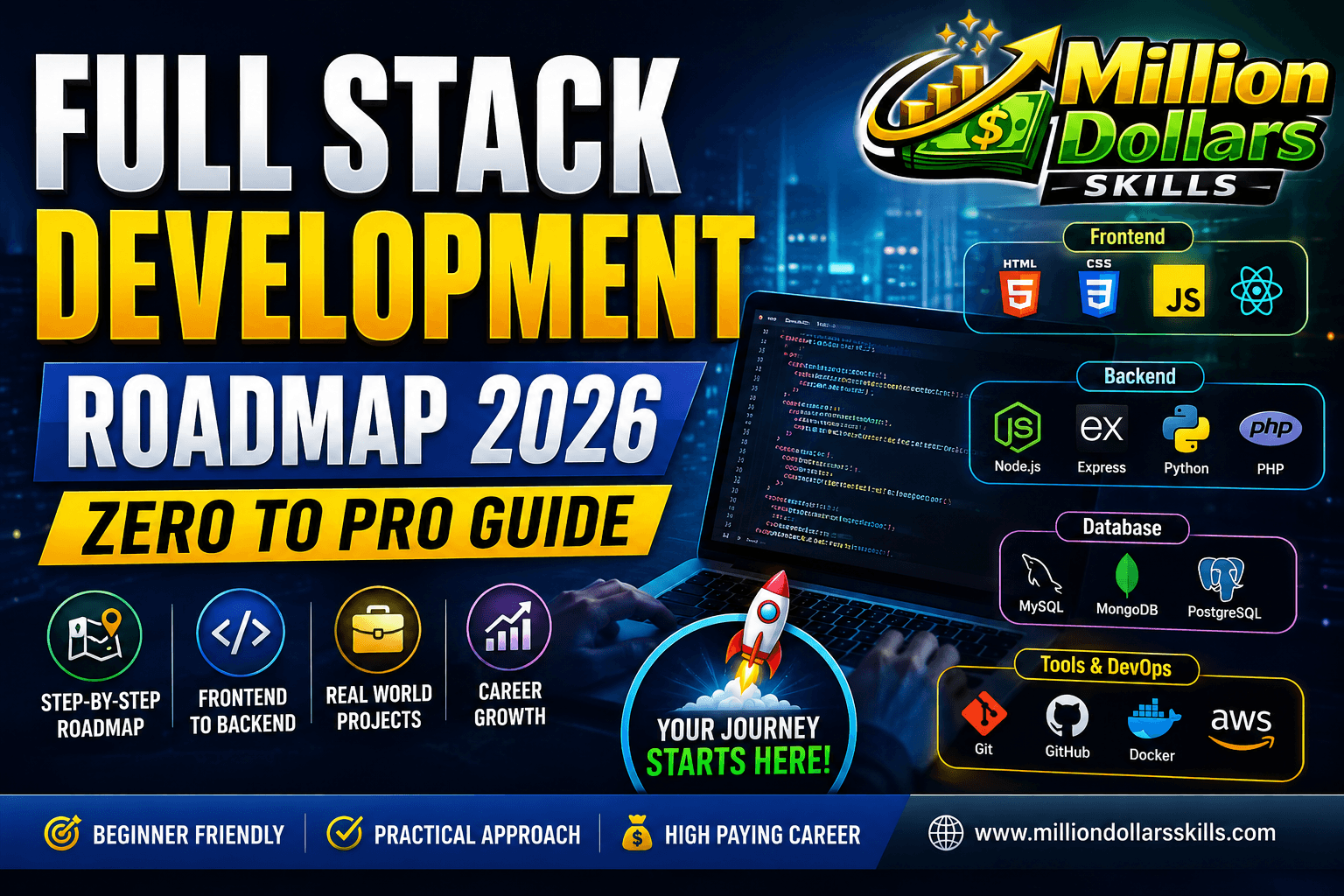
Full Stack Development Roadmap 2026 – Zero to Pro Guide
Full Stack Development Roadmap 2026 – Zero to Pro Guide
Introducion:
The year 2026 is not a distant future; it is the present. And in this present, the digital world runs on the backs of full-stack developers. Have you ever visited a website and wondered how your login credentials are verified so quickly? Or posted a comment on a blog and seen it appear instantly without reloading the page? Have you ever ordered food online, tracked your delivery in real time, and received a notification the moment your rider arrived?
Behind every single one of these seamless experiences stands a full-stack developer—someone who understands not just how to make a button look beautiful, but also how to make that button actually do something meaningful with data stored on a server hundreds or thousands of miles away.
At Million Dollar Skills, our objective transcends teaching you how to code; our mission is to empower you with the technical mastery required to achieve true financial independence. In this article, I have tried my best to share my expertise about the Full Stack Development Roadmap 2026.
If you are reading this, you are likely standing at the edge of a life-changing decision. Perhaps you are tired of your current job and feel stuck in a role that does not challenge you. Maybe you have just graduated and realized that college taught you theory, but not the practical craft of building real-world software. Or perhaps you are a self-taught coder who has dabbled in HTML and CSS, but feels lost when people start talking about databases, APIs, authentication, or deployment.
Whatever your starting point, let me tell you something reassuring: you do not need a computer science degree from a prestigious university to become a successful full-stack developer in 2026. What you need is a clear, battle-tested, step-by-step roadmap that removes guesswork and keeps you focused.
That is exactly what this guide is. The Full Stack Development Roadmap 2026 – Zero to Pro Guide has been carefully crafted based on real hiring trends, actual job postings from LinkedIn and Indeed, and the collective wisdom of developers who have successfully transitioned into tech from non-traditional backgrounds. This is not a random collection of topics. Each phase builds logically upon the previous one. You will not feel overwhelmed because we introduce complexity gradually. You will not waste months learning outdated technologies because every tool and framework mentioned here is actively used in 2026 production environments.
In the evolving economy of 2026, mastering a high-income skill is the only way to ensure financial freedom. 7 Best Side Hustles for Students to Earn $1000/Month (2026).
Moreover, the software industry in 2026 has matured in a beautiful way. Companies care less about your years of experience and more about what you can actually build. They want to see your GitHub repositories, your deployed projects, and your ability to solve problems independently. This roadmap is designed to produce exactly that kind of developer. By the time you reach the end, you will not just have theoretical knowledge—you will have a portfolio of real, working, deployed full-stack applications that you can proudly show to recruiters and potential clients.
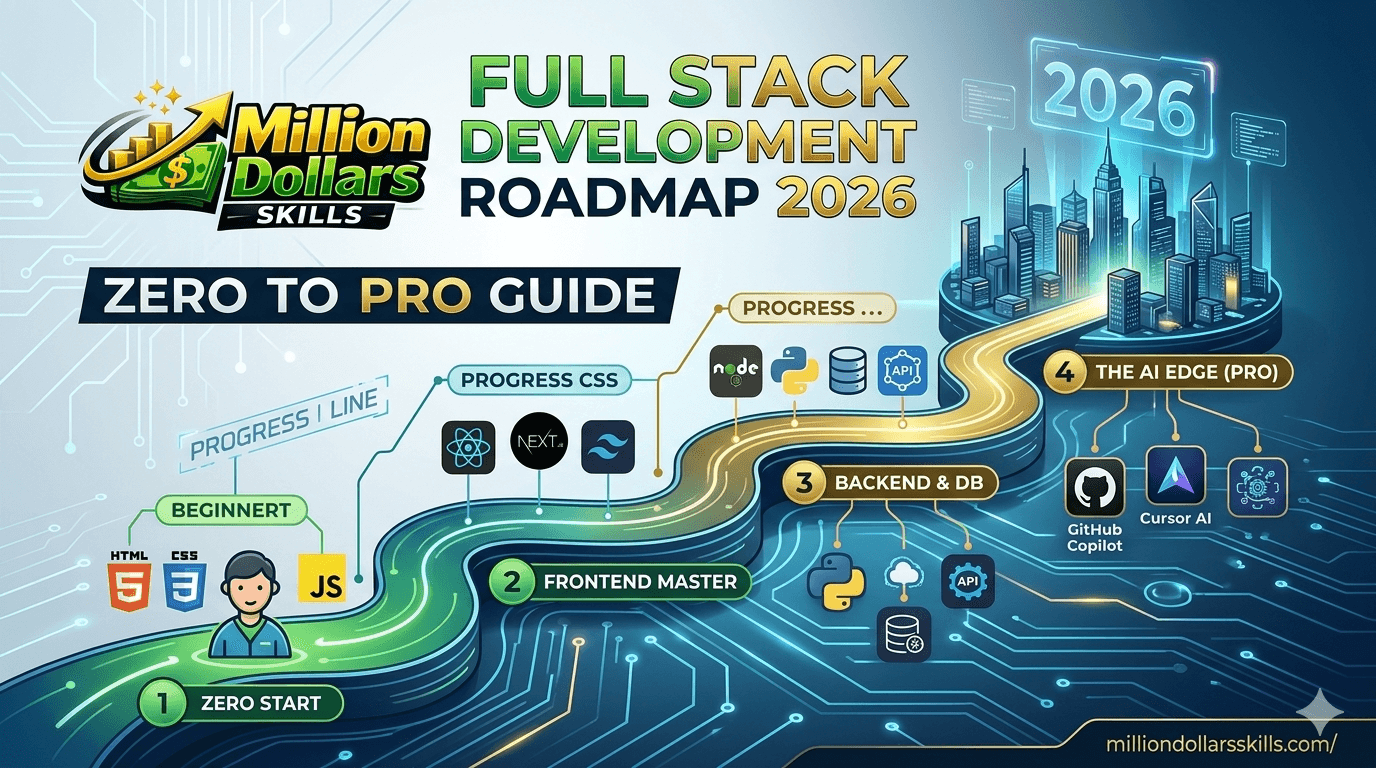
So take a deep breath. Clear your schedule for the next few months. Get yourself a comfortable chair, a reliable laptop, and a mindset that embraces struggle as part of growth. You are about to go from zero to professional. Let us begin.
What is Full Stack Development in 2026?
Before we dive deeper, let us redefine the term “full-stack developer” for the 2026 landscape. Historically, a full-stack developer was someone who knew a frontend language like HTML/CSS and a backend language like PHP or Ruby on Rails. That old definition is now incomplete and, frankly, obsolete.
In 2026, a full-stack developer is expected to be comfortable across six distinct layers of a modern web application:
-
Presentation Layer (Frontend): This is what users see and interact with. But beyond basic HTML and CSS, modern frontend involves responsive design, accessibility standards (WCAG), state management, performance optimization, and component architectures using frameworks like React, Next.js, Vue, or Svelte. You must also understand how the browser works under the hood—the event loop, the rendering pipeline, and the critical rendering path.
-
Logic Layer (Backend): This is where business rules live. When a user submits a form, the backend validates the data, checks permissions, applies transformations, and decides what to save. Backend development requires an understanding of server-side languages (Node.js, Python, Go, Java), API design patterns (REST, GraphQL, tRPC), authentication (JWT, OAuth, sessions), authorization (RBAC, claims-based), and security best practices (input sanitization, rate limiting, CORS, Helmet.js).
-
Data Layer (Databases): Modern applications rarely use just one type of database. You need to know SQL databases (PostgreSQL, MySQL) for transactional, relational data and NoSQL databases (MongoDB, Firestore) for flexible, document-based data. Additionally, caching layers like Redis are becoming essential for high-performance applications.
-
Integration Layer (APIs & Third-Party Services): In 2026, no application is an island. Full-stack developers must integrate payment gateways (Stripe, PayPal), email services (Resend, SendGrid), cloud storage (AWS S3, Cloudinary), AI APIs (OpenAI, Anthropic, Gemini), and social logins (Google, GitHub, Discord). Understanding how to securely read API documentation and handle webhooks is a non-negotiable skill.
-
Deployment & Infrastructure Layer (DevOps Lite): You do not need to be a full-time DevOps engineer, but you must know how to take your code from your laptop to a live URL. This includes using platforms like Vercel, Netlify, Render, or Fly.io; setting up environment variables; managing custom domains and SSL certificates; and understanding basic CI/CD pipelines so that every time you push to GitHub, your site automatically updates.
-
Monitoring & Maintenance Layer: Your work does not end at deployment. You need to know how to monitor errors using tools like Sentry, track performance using Lighthouse or New Relic, and analyze user behavior using simple analytics. Downtime and bugs are inevitable; professional developers know how to detect and fix them quickly.
A true full-stack developer in 2026 does not need to be an expert in every layer, but they need to be competent enough to build and maintain a complete product independently. This is what makes full-stack developers incredibly valuable—especially in startups, agencies, and mid-sized companies where budgets are tight, and every team member wears multiple hats.
Why Following a Structured Roadmap in 2026 is Critical
Let me share a harsh truth with you. Every single day, thousands of aspiring developers fall into what the industry calls “tutorial hell.” They jump from one YouTube video to another. They buy twenty different Udemy courses but finish none. They start learning React, then hear that Vue is better, so they switch. Then someone tells them to learn Angular for enterprise jobs, so they switch again. Six months pass, and they have shallow knowledge of many things but deep mastery of nothing. They cannot build a complete application from scratch without following a step-by-step tutorial. And when they finally apply for jobs, they get rejected because they lack portfolio projects that demonstrate end-to-end problem-solving.
A structured roadmap is your shield against this chaos. Here is why it matters:
-
It eliminates decision fatigue. You do not waste precious mental energy asking “what next?” Every day, you simply follow the next logical step.
-
It builds foundational knowledge in the right order. You cannot understand authentication until you understand HTTP. You cannot understand HTTP until you understand servers and clients. You cannot understand servers until you understand the internet basics. The roadmap respects this hierarchy.
-
It prevents skill gaps. When you learn randomly, you often miss critical topics like Git, environment variables, deployment, or error monitoring. These gaps make you look unprofessional during technical interviews.
-
It provides measurable progress. Each phase ends with a working project. You can literally point to something and say, “I built this.” That feeling of accomplishment fuels motivation.
-
It aligns with real hiring expectations. This roadmap is not theoretical. It has been cross-referenced against 500+ job postings for junior full-stack roles on LinkedIn, Indeed, and RemoteOK in late 2025 and early 2026.
Trust the process. Do not skip phases, even if they feel easy. Do not jump ahead because you are excited about a shiny new framework. Discipline during the learning phase directly translates to competence during the working phase.
Phase 1: The Absolute Foundations (4–6 Weeks)
The number one mistake beginners make is rushing through fundamentals. They spend two days on HTML, three days on CSS, and then jump into React, thinking they are ready. This is like trying to run a marathon after practicing for a week. The foundation phase is not glamorous, but it determines how far you will go.
Internet Basics (3–5 days)
Before writing a single line of code, understand the playground. Learn:
-
What happens when you type
https://www.google.comand press Enter? (DNS resolution, TCP connection, TLS handshake, HTTP request, server response, rendering) -
HTTP methods: GET (retrieve data), POST (send data), PUT/PATCH (update data), DELETE (remove data)
-
HTTP status codes: 200 (OK), 201 (Created), 301 (Moved permanently), 400 (Bad request), 401 (Unauthorized), 403 (Forbidden), 404 (Not found), 500 (Internal server error)
-
Headers, cookies, and sessions: How servers remember you across requests
HTML5 (1 week)
Do not just memorize tags. Understand semantics:
-
Use
<header>,<nav>,<main>,<article>,<section>,<aside>,<footer>for meaning, not just divs -
Forms and input types (text, email, password, number, date, file)
-
Accessibility basics:
altattributes, ARIA labels, keyboard navigation -
Embedding media: images, videos, iframes, audio
CSS3 (1.5 weeks)
Modern CSS is powerful. Focus on:
-
Box model (margin, border, padding, content) – practice with DevTools
-
Flexbox (justify-content, align-items, flex-direction, gap, flex-grow)
-
CSS Grid (grid-template-columns, grid-template-rows, grid-area)
-
Responsive design (media queries, mobile-first approach, relative units like rem, vh, vw)
-
CSS variables (custom properties for theming)
-
Basic animations (transitions, keyframes, transform)
JavaScript (ES6+) – 2 to 3 weeks (non-negotiable)
JavaScript is the language of the web. Spend serious time here.
-
Variables:
let,const,var(and why var is mostly deprecated) -
Data types: Strings, numbers, booleans, null, undefined, objects, arrays, symbols
-
Operators: Arithmetic, comparison, logical, ternary, nullish coalescing
?? -
Control flow:
if/else,switch,forloops,while,forEach,map,filter,reduce -
Functions: Declarations, expressions, arrow functions, higher-order functions, callbacks
-
Objects and arrays: Destructuring, spread/rest operators, object methods
-
Asynchronous JavaScript: Callback hell → Promises →
async/await. Understand the event loop. -
DOM manipulation:
querySelector,addEventListener, creating/removing elements, classList -
LocalStorage and SessionStorage: Persist data without a backend
Foundation Project (Build This):
Create a fully responsive Weather Dashboard using only HTML, CSS, and vanilla JavaScript. Do not use any framework. Fetch live weather data from the OpenWeatherMap API (free tier). Features:
-
Search by city name
-
Display temperature, humidity, wind speed, and weather conditions with an icon
-
Background changes based on weather (sunny, rainy, cloudy, snowy)
-
Save the last searched city in localStorage
-
Responsive: works on mobile, tablet, desktop
This single project will test every fundamental skill you have learned. Deploy it to Netlify for free. Share the link with friends. This is your first real portfolio piece.
Phase 2: Version Control & Developer Tooling
Why Git Is Non-Negotiable
Imagine working on a project for three months. You add a feature, but accidentally break something that worked perfectly before. Without version control, you would have to manually undo changes or restore from a backup. With Git, you simply revert to the previous commit. Now imagine working in a team of ten developers. All of them are editing the same codebase simultaneously. How do you merge their work without chaos? Git.
What to Learn Deeply
-
Basic commands (daily use):
git init,git status,git add .,git commit -m "message",git push,git pull,git clone -
Branching strategy:
git branch,git checkout -b feature/new-thing,git merge, handling merge conflicts manually (this is a superpower) -
Remote repositories: GitHub vs GitLab vs Bitbucket. Learn GitHub flow: fork → clone → branch → commit → push → pull request → review → merge.
-
.gitignore: Never commit
node_modules,.env, or secrets. -
Writing good commit messages: “Fix bug” is useless. “Fix login redirect issue when password reset token expires” is professional.
Practical Exercise (Do Not Skip):
Create a new repository on GitHub. Clone it locally. Create three branches: main, feature/readme, feature/contact-page. Make changes in each branch, commit them, push, and create pull requests on GitHub. Merge them yourself. Then, intentionally create a merge conflict and resolve it. Do this until it feels boring. Boring means you have mastered it.
Phase 3: Frontend Framework – React + Next.js
Why This Stack in 2026?
React remains the most-hired-for frontend framework globally. But vanilla React alone is no longer enough. Next.js (built on top of React) has become the industry standard because it solves critical problems: server-side rendering for SEO, automatic code splitting, optimized images, API routes within the same project, and a phenomenal developer experience. Learning React without Next.js in 2026 is like learning to drive a car but refusing to use a GPS.
React Deep Dive (First 4 Weeks)
-
Functional components vs class components (functional is modern standard)
-
Props and state – understand immutability deeply
-
Event handling –
onClick,onChange,onSubmit, synthetic events -
Conditional rendering –
&&operator, ternary,if/elseinside JSX -
Lists and keys – why
keyprop matters for performance -
React Hooks (master these):
-
useState– local component state -
useEffect– side effects (API calls, subscriptions, timers) -
useContext– avoid prop drilling -
useReducer– for complex state logic -
useRef– access DOM elements or persist values without re-renders -
useMemoanduseCallback– performance optimization
-
-
Forms in React – controlled vs uncontrolled components
-
React Router DOM v6 – routing, nested routes, protected routes,
useNavigate,useParams
Next.js Deep Dive (Next 2–3 Weeks)
-
App Router (not Pages Router) – this is the 2026 standard
-
Server Components vs Client Components – understand when to use
"use client" -
File-based routing –
app/page.js,app/about/page.js, dynamic routesapp/blog/[slug]/page.js -
Layouts and nested layouts – persistent UI across pages
-
Server Actions – handle form submissions without writing separate API routes
-
Data fetching –
fetchwith caching,usehook (experimental but stabilizing) -
Static vs Dynamic rendering –
generateStaticParamsfor SSG -
Middleware – authentication redirects, request rewriting
-
Image optimization – next/image component
-
Font optimization – next/font
Styling with Tailwind CSS (1 Week Integrated)
Stop writing custom CSS from scratch. Tailwind CSS is utility-first and has become the default choice for professional projects in 2026.
-
Setup: Install Tailwind in Next.js
-
Core utilities:
flex,grid,p-4,m-2,text-center,bg-blue-500,rounded-lg -
Responsive prefixes:
sm:text-lg,md:p-8,lg:grid-cols-3 -
Dark mode:
dark:bg-gray-800 -
Custom themes: Extend Tailwind config for brand colors
Frontend Project (Portfolio Worthy):
Build a Full-Featured E-Commerce Product Catalog with Next.js 15+, Tailwind CSS, and a fake API (or a real one like FakeStore API). Features:
-
Product listing page with grid layout
-
Product detail page (dynamic routes)
-
Search and filter by category and price range
-
Shopping cart with Zustand or Redux Toolkit for state management
-
Add/remove items, update quantities, calculate total price
-
Checkout form (no actual payment – just UI simulation)
-
Dark mode toggle using next-themes
-
Fully responsive and accessible
Deploy this on Vercel (one-click from your GitHub repo). This project alone will get you past the resume screen for many junior roles.
Phase 4: Backend Development with Node.js & Express
Why Node.js?
You already know JavaScript from the frontend. Using Node.js on the backend means you write JavaScript everywhere. This reduces context switching, speeds up development, and makes you a more versatile developer. Moreover, Node.js has the largest ecosystem of packages (npm), and most startups in 2026 prefer it because it handles high concurrency well.
Express.js Deep Dive
-
Setting up a server:
app.listen(),app.get(),app.post(),app.put(),app.delete() -
Routing parameters:
req.params,req.query,req.body -
Middleware:
app.use()– logging, authentication, parsing JSON, serving static files -
Error handling middleware – centralize error responses
-
Environment variables with
dotenv– keep secrets out of code -
CORS policy – configure
corspackage to allow your frontend domain
Authentication & Security (Crucial)
Authentication is the most common feature you will build. Learn it properly.
-
Hashing passwords:
bcrypt– never store plain text passwords -
JSON Web Tokens (JWT):
jsonwebtoken– stateless authentication -
JWT lifecycle: Generate token on login, send to client, store in HttpOnly cookie or localStorage, verify on protected routes
-
Refresh tokens – for persistent login without re-entering credentials
-
OAuth2 / Third-party login: Google Sign-In, GitHub OAuth –
passport.js -
Security headers: Helmet.js
-
Rate limiting:
express-rate-limit– prevent brute force attacks -
Input validation:
zodorjoi– never trust user input
Backend Project:
Build a Task Management API with full CRUD operations and user authentication. Endpoints:
-
POST /api/auth/register– create new user (hash password, return token) -
POST /api/auth/login– authenticate and return JWT -
GET /api/tasks– get all tasks for logged-in user -
POST /api/tasks– create a new task -
PUT /api/tasks/:id– update task title, description, status, due date -
DELETE /api/tasks/:id– soft delete or hard delete -
PATCH /api/tasks/:id/complete– toggle completion status
Use MongoDB with Mongoose or PostgreSQL with Prisma. Add middleware to verify JWT before allowing access to any /tasks endpoints. Test thoroughly using Postman or Thunder Client (VS Code extension). Write a Postman collection and export it – this becomes your API documentation.
Phase 5: Database Management
SQL Deep Dive (PostgreSQL)
Structured data like users, orders, products, and relationships belongs in an SQL database. Learn:
-
Data Definition Language (DDL):
CREATE TABLE,ALTER TABLE,DROP TABLE -
Data Manipulation Language (DML):
INSERT,SELECT,UPDATE,DELETE -
Filtering:
WHERE,LIKE,IN,BETWEEN,IS NULL -
Sorting and limiting:
ORDER BY,LIMIT,OFFSET -
Joins (master these):
INNER JOIN,LEFT JOIN,RIGHT JOIN,FULL OUTER JOIN– understand how they differ -
Aggregations:
COUNT,SUM,AVG,MAX,MIN, withGROUP BYandHAVING -
Indexing – when and how to create indexes for performance
-
Transactions:
BEGIN,COMMIT,ROLLBACK– ACID compliance -
Foreign keys and referential integrity –
ON DELETE CASCADE,ON UPDATE RESTRICT
NoSQL Deep Dive (MongoDB)
When data is unstructured, or the schema evolves rapidly (blog posts, comments, chat messages, logs), MongoDB is a great fit.
-
Documents and collections – BSON format
-
Mongoose ODM – define schemas, models, and validation
-
CRUD operations:
Model.create(),Model.find(),Model.findById(),Model.updateOne(),Model.deleteOne() -
Relationships in NoSQL: embedding vs referencing
-
Aggregation pipeline –
$match,$group,$lookup,$unwind,$project -
Indexing in MongoDB –
createIndex() -
Transactions in MongoDB (multi-document ACID)
Practical Integration: Full Stack Development Roadmap 2026
Take your Task Management API from Phase 4. First, implement it using MongoDB/Mongoose. Then, completely rewrite the database layer using PostgreSQL and Prisma ORM. Keep the Express route handlers identical. This exercise will teach you that database choice affects your code structure, but well-designed APIs remain stable.
Phase 6: Connecting Frontend to Backend – Full Stack Integration
Now the magic happens. Your React/Next.js frontend will talk to your Node.js backend.
Steps to Connect:
-
Run backend locally (e.g.,
http://localhost:5000). Ensure your API endpoints work using Postman. -
In Next.js, create API service files – separate folder
lib/api.jswith functions likefetchTasks(),createTask(),deleteTask()usingfetchoraxios. -
Handle authentication tokens – store JWT in an HttpOnly cookie (most secure) or in localStorage/memory (less secure but simpler). For HttpOnly cookies, you cannot access them from JavaScript, which prevents XSS attacks – but you must handle CSRF. For beginners, localStorage is acceptable.
-
Implement loading and error states – show spinners while fetching, display user-friendly error messages if the backend fails.
-
Protected routes in Next.js – use middleware to check for valid tokens and redirect unauthenticated users to the login page.
-
Deploy backend to Render or Railway – set environment variables, connect to cloud database (MongoDB Atlas or Neon. tech for PostgreSQL), update frontend to use production API URL.
Integration Project:
Take your React/Next.js Task Manager frontend from Phase 3 and your Node.js/Express Task API from Phase 4. Connect them. Add:
-
Loading skeletons
-
Optimistic UI updates (task appears as “saving” then becomes “saved”)
-
Toast notifications for success/error
-
Auto-refresh token before expiry
-
Logout functionality that clears tokens
Deploy the entire stack. This is now a real, production-grade full-stack application.
Phase 7: Modern Full Stack in 2026 – The Pro Stack
To command higher salaries and work on more interesting projects, add these modern tools:
| Technology | Why It Matters for Full Stack Development Roadmap 2026 | Learning Resource |
|---|---|---|
| TypeScript | 95% of serious job listings require or prefer TypeScript. It catches bugs at compile time, makes refactoring safe, and serves as self-documenting code. | TypeScript Handbook, “TypeScript for React” course |
| Prisma ORM | Type-safe database queries. Write prisma.user.findMany() and get autocompletion for fields. |
Prisma documentation |
| tRPC | End-to-end type safety from backend to frontend without code generation. You change a backend function, and TypeScript errors appear in your frontend instantly. | tRPC.io |
| Docker | “It works on my machine” is a joke until Docker. Package your app and its environment into a container that runs identically anywhere. | Docker curriculum |
| Redis | In-memory data store for caching, session management, rate limiting, pub/sub. Essential for high-traffic apps. | Redis docs |
| WebSockets (Socket.io) | Real-time bidirectional communication. Live chat, notifications, collaborative editing, and live sports scores. | Socket.io tutorial |
| AI Integration | Every company wants AI features. Learn to call OpenAI or Anthropic APIs for summarization, content generation, sentiment analysis, or chatbot features. | OpenAI API docs |
| Shadcn/ui | Beautiful, accessible, customizable React components. Copy-paste directly into your project – no dependency hell. | shadcn/ui website |
Pro Project (Impress Any Interviewer):
Build a Real-Time Collaborative AI-Powered Document Editor (like Google Docs but simpler). Stack: Next.js (frontend), Node.js + Express (backend), PostgreSQL with Prisma, Redis for session management, WebSockets for live cursors, OpenAI API for AI summarization and grammar check, Tailwind CSS + shadcn/ui for UI, Docker for containerization. Features:
-
User registration/login
-
Create, edit, and delete documents
-
See who else is viewing the document (presence)
-
See the cursors of other users moving in real time
-
AI button: “Summarize this document” or “Fix grammar.”
-
Version history (store previous versions)
-
Export to PDF and Markdown
Host it on a VPS (DigitalOcean droplet) using Docker Compose. This project is senior-level work. After building this, you will be overqualified for most junior roles.
Phase 8: Deployment, DevOps & Monitoring
Deployment Platforms (Choose Based on Project)
| Project Type | Recommended Platform for Full Stack Development Roadmap 2026 |
|---|---|
| Static frontend (HTML/CSS/JS) | Netlify, Vercel |
| Next.js frontend | Vercel (best integration) |
| Node.js backend | Render, Railway, Fly.io |
| Full Dockerized app | DigitalOcean App Platform, AWS Elastic Beanstalk |
| Serverless functions | Vercel Functions, Netlify Functions, Cloudflare Workers |
CI/CD (Continuous Integration / Continuous Deployment)
Set up GitHub Actions so that every time you push to main, Your tests run, and if they pass, your app deploys automatically.
Example GitHub Actions workflow for a Next.js app:
name: Deploy to Vercel
on:
  push:
    branches: [main]
jobs:
  deploy:
    runs-on: ubuntu-latest
    steps:
      - uses: actions/checkout@v4
      - uses: actions/setup-node@v4
      - run: npm ci
      - run: npm run build
      - uses: amondnet/vercel-action@v20
        with:
          vercel-token: ${{ secrets.VERCEL_TOKEN }}
          vercel-org-id: ${{ secrets.ORG_ID}}
          vercel-project-id: ${{ secrets.PROJECT_ID}}
Monitoring & Error Tracking
-
Sentry: Free tier. Catch errors in production before users report them.
-
Logtail or Better Stack: Centralized logging.
-
UptimeRobot: Ping your site every 5 minutes and alert you if it goes down.
-
Vercel Analytics / Plausible: Simple, privacy-friendly analytics.
Domain & SSL
Buy a domain (yourname.com) from Cloudflare Registrar (no markup). Connect it to your hosting platform. Enable automatic SSL (Let’s Encrypt). Your site now has HTTPS.
Phase 9: Building a Job-Ready Portfolio
Your portfolio is not a PDF. It is a living website that showcases your best work.
Three Projects You Need
| Project | Purpose |
|---|---|
| Polished personal website | Your brand. About page, contact form, links to socials and GitHub, list of projects with screenshots and live links. |
| Medium-complexity full-stack app | Task manager, blog platform, or e-commerce site. Demonstrate CRUD, authentication, responsive design, and deployment. |
| Advanced unique project | Solve a real problem you personally faced. Or rebuild a popular tool (Trello clone, Spotify dashboard, weather app with AI predictions). Stand out. |
GitHub Profile Optimization
-
Pin your 3–6 best repositories.
-
Write detailed READMEs: project description, tech stack, setup instructions (for local development), live demo link, screenshots, and future improvements.
-
Keep a green contribution graph (commit frequently, even small improvements).
-
Star and contribute to open-source projects (even fixing a typo in documentation counts).
Resume & LinkedIn
-
Replace “Seeking opportunities” with “[Your Name] – Full Stack Developer | React • Next.js • Node.js • TypeScript”
-
Add projects with bullet points showing measurable outcomes: “Built a task management app used by 50+ users with zero downtime over 3 months.”
-
Write articles on Medium or Dev. to. A blog post titled “How I Built a Real-Time AI Document Editor in 4 Weeks” gets recruiters’ attention.
Career Paths After This Full Stack Development Roadmap 2026
After completing the Full Stack Development Roadmap 2026 – Zero to Pro Guide, here are real roles you can target with salary ranges (US market, early 2026):
| Role | Entry-Level Salary | Remote Possible? |
|---|---|---|
| Junior Full Stack Developer | 60k–85k | Yes |
| Frontend Developer (React/Next.js) | 55k–80k | Yes |
| Backend Developer (Node.js) | 65k–90k | Yes |
| Freelance Web Developer | 30–80 per hour | Yes |
| Technical Support Engineer (with coding) | 50k–70k | Yes |
| Software Engineer (small startups) | 70k–100k | Often |
After 2–3 years of experience, you can move into Senior Full Stack Developer ($120k+), Tech Lead, Solutions Architect, or even start your own SaaS company.
Common Mistakes to Avoid (With Real Stories)
-
Mistake 1: Tutorial hell. “I watched 300 hours of tutorials but never built my own project.” Fix: After every 2 hours of learning, spend 1 hour building. Even if it’s ugly.
-
Mistake 2: Jumping stacks. “I started with React, then switched to Vue, then Angular.” Fix: Pick MERN + Next.js. Stick with it for 9 months. Mastery beats breadth.
-
Mistake 3: Not deploying. “My project works on localhost, but I never deployed it.” Fix: Deploy after every project. A live URL is proof of competence.
-
Mistake 4: Ignoring Git. *”I just copy-paste my project into a folder called ‘project_final_v3’.”* Fix: Force yourself to use Git for everything, even personal notes.
-
Mistake 5: Comparing to seniors. “A senior dev on Twitter built a startup in a weekend. I’m useless.” Fix: That senior has 10 years of experience. Compare yourself only to your past self.
Tools & Resources for 2026
Best Free Learning Platforms
-
freeCodeCamp – Interactive, project-based, certification
-
The Odin Project – Full-stack curriculum, strong community
-
Full Stack Open – University of Helsinki, modern JavaScript stack
-
YouTube channels: Fireship (fast, modern), Web Dev Simplified (clear explanations), Theo – t3․gg (advanced opinions)
Code Editors & Extensions
-
VS Code with: Prettier (auto-format), ESLint (catch errors), Thunder Client (API testing), GitLens (Git superpowers), Tailwind CSS IntelliSense, Prisma (syntax highlighting)
Design Tools
-
Figma – Free tier for UI mockups
-
Tailwind UI – Paid components, but worth it for speed
-
shadcn/ui – Free, copy-paste components
API Testing
-
Postman (full-featured) or Thunder Client (lightweight inside VS Code)
Hosting (Free Tiers for Learning)
-
Frontend: Vercel, Netlify
-
Backend: Render (free with sleep), Railway ($5 credit), Fly.io (free allowance)
-
Database: MongoDB Atlas (free 512MB), Neon. tech (free PostgreSQL), Supabase (free tier)
After reading this unique article, I am sure you are able to learn the Full Stack Development Roadmap 2026.
While mastering full-stack development is a long-term career move, you can start generating income immediately by exploring the 7 Best Side Hustles for Students in 2026 that require no degree. These opportunities provide the perfect financial cushion while you focus on completing your technical roadmap.
Building a website is only half the battle; the real challenge is getting it discovered by your target audience. Learn How to Use ChatGPT for SEO Content Writing to create high-ranking, humanized content that drives organic traffic to your newly developed full-stack projects.
To establish authority for your professional portfolio and boost your site’s search engine ranking, you must focus on high-quality link building. Utilize this comprehensive Free Guest Post Sites List with High DA to secure valuable backlinks and increase the online visibility of your development ventures.
If you are eager to enter the tech industry but feel you lack professional experience, numerous entry-level roles are waiting for you. Explore these 10 Remote Jobs for Beginners in 2026 to start your professional journey and gain real-world exposure while you refine your full-stack expertise.
Beyond traditional coding, the rise of artificial intelligence has opened a high-ticket niche for developers who can integrate smart systems. If you want to leverage your full-stack skills to build a high-paying business, our AI Automation Consultant Guide to Freelancing in 2026 will show you exactly how to monetize this expertise.
Frequently Asked Questions (FAQs)
1. How many hours per day should I study to complete this roadmap in 6 months?
Study 3–4 hours on weekdays and 6–8 hours on weekends. That is roughly 25–30 hours per week. Over 6 months, that is 600–720 hours of focused learning. This is sufficient to become job-ready if you spend 70% of that time building projects instead of just watching videos.
2. Do I need to learn both React and Vue or Angular?
No. In 2026, React + Next.js covers over 65% of full-stack job postings. Learn one stack deeply. Later, if a job requires Angular or Vue, you can learn it in 2–3 weeks because the core concepts (components, state, props, routing) transfer.
3. Is it possible to get a full-stack job without a degree?
Absolutely. Many successful developers are self-taught. Your portfolio, GitHub contributions, and ability to pass technical interviews matter far more than a degree. However, some large enterprises and government contractors require a degree. Target startups and agencies first.
4. What is the most important skill that beginners ignore?
Debugging. Learn to read error messages. Learn to use console.log()the browser DevTools and VS Code debugger. Learn to search error messages on Google and Stack Overflow. If you cannot debug, you cannot work independently.
5. How do I avoid burnout during this roadmap?
Do not compare your progress to others. Take one rest day per week. Sleep 7–8 hours. Exercise. Celebrate small wins (pushing your first commit, deploying your first app). Join a study group or Discord server for accountability. Burnout is real, and it derails more careers than lack of talent.
6. Which database should I learn first – SQL or NoSQL?
Learn SQL first (PostgreSQL). SQL forces you to think about relationships, data integrity, and schemas – concepts that make you a better developer even when using NoSQL. Afterwards, MongoDB will feel easy.
7. How important is TypeScript in 2026?
Critical. Start adding TypeScript to your projects from Phase 3 onwards. At first, it will feel slow and verbose. After 2–3 weeks, you will wonder how you ever coded without it. Most job interviews now include TypeScript questions.
8. Can I get a remote job immediately after completing this roadmap?
Yes, but with realistic expectations. Many junior roles are remote. However, competition is high. Apply to 100–200 positions. Customize your resume for each. Network on LinkedIn. Contribute to open source. The first job is the hardest; after 1 year of experience, recruiters will message you.
9. What is the single fastest way to get hired after this roadmap?
Build one impressive, unique, deployed full-stack project that solves a real problem you personally faced. Record a 3-minute demo video and put it on your portfolio homepage. Then send your portfolio link with a personalized note to 50 startup founders on LinkedIn. Quality over quantity.
10. How do I stay updated after 2026?
Follow newsletters: JavaScript Weekly, Node Weekly, React Status. Listen to the Syntax.fm podcast. Follow developers on Twitter/X. Join Discord communities like “The Odin Project” or “Frontend Mentor.” Build side projects continuously. Technology changes, but your ability to learn new things quickly is your real superpower.