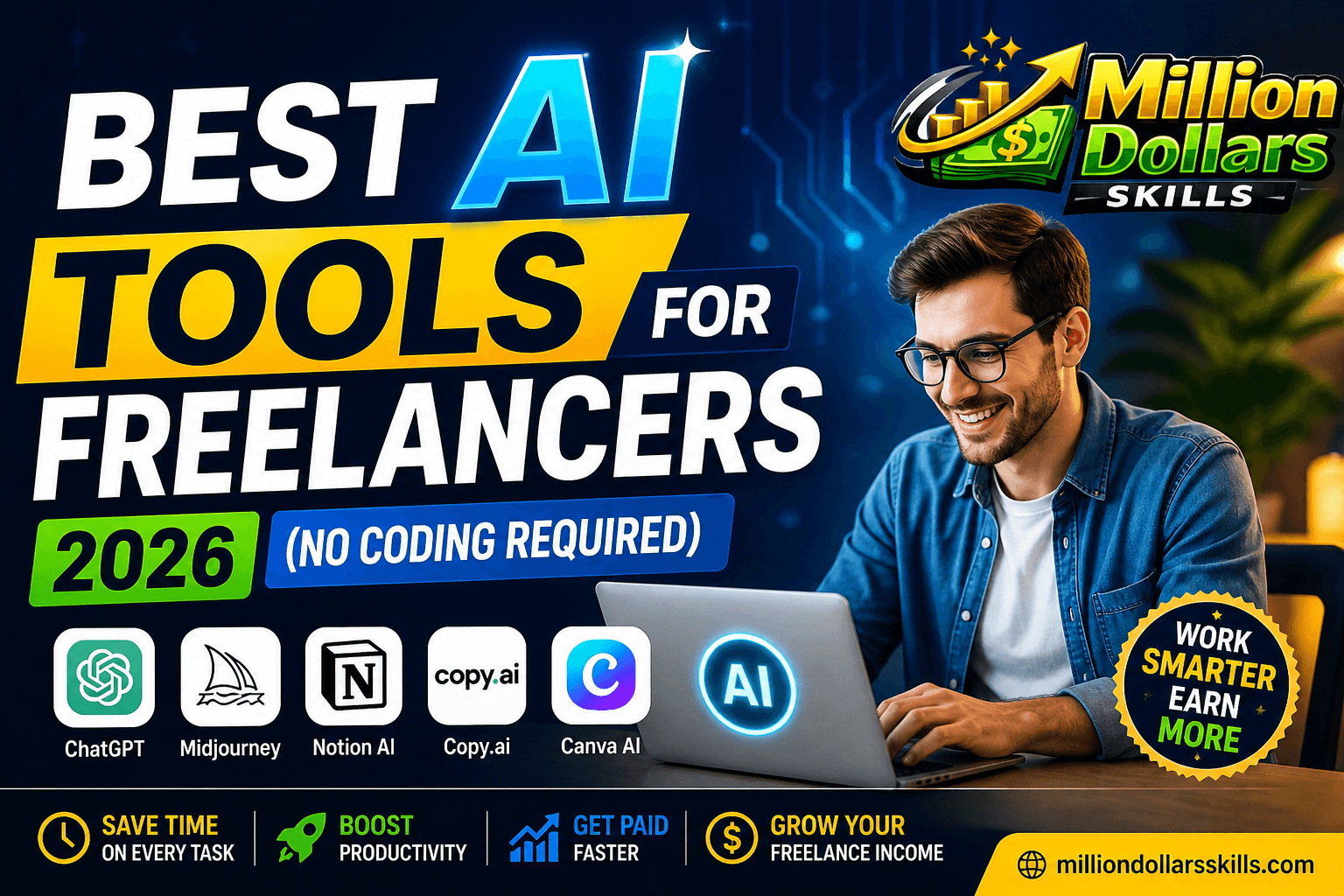
Best AI Tools for Freelancers 2026 (No Coding Required)
Best AI Tools for Freelancers 2026 (No Coding Required)
Introduction: The Freelance Revolution Has Arrived
The freelance economy is no longer just about hustling harder. In 2026, the game has completely changed. Artificial intelligence has stepped in as the ultimate teammate that never sleeps, never complains, and consistently delivers high-quality work in seconds. If you are a freelancer who still believes that AI will replace you, let me stop you right there. AI will not replace you. But a freelancer who knows how to use AI effectively will absolutely replace a freelancer who does not. After reading this article, you must be skilled in the Best AI Tools for Freelancers 2026.
The fear of coding has kept millions of talented individuals away from leveraging the full power of automation. But here is the beautiful truth. You do not need to write a single line of code to access the most powerful AI tools available today. Whether you are a writer, designer, virtual assistant, marketer, or coach, there is an AI tool waiting to double your productivity and triple your monthly income.
At Million Dollars Skills, we believe that the right tools in the right hands create unstoppable success. In this comprehensive guide, we will walk you through the best AI tools for freelancers in 2026 that require absolutely no coding knowledge. These tools have been tested, verified, and approved by top-earning freelancers across the globe. By the end of this article, you will have a clear roadmap to automate your busy work, focus on high-value tasks, and confidently charge premium rates.
Let us dive straight in.
Why 2026 Is the Golden Year for Non-Tech Freelancers
Before we explore the actual tools, let us take a moment to understand why 2026 is uniquely positioned as the best year ever for non-technical freelancers. The artificial intelligence industry has matured significantly over the last eighteen months. Gone are the days when AI tools required complicated setups, API integrations, or Python scripts. Today’s AI tools come with clean, intuitive dashboards that look like your favorite social media app.
According to recent freelance platform data, demand for AI-literate freelancers has increased by over 300 percent since 2024. Clients are no longer asking if you use AI. They are asking which AI tools you master. This shift has created a massive opportunity for freelancers who can position themselves as AI-augmented professionals rather than traditional service providers.
To truly master the tools mentioned in this guide, you must first understand the art of communicating with them effectively. Check out our comprehensive AI Prompt Engineering Roadmap 2026 to learn this high-paying skill step-by-step and stay ahead of the competition.
Choosing the right tools is just the beginning; knowing how to build efficient workflows is where the real money lies. If you want to transition from a simple freelancer to a high-earning expert, our AI Automation Consultant Guide provides the perfect blueprint for success in 2026.
The best part is that the learning curve has flattened dramatically. You can become proficient in most AI tools within a weekend. Within a month, you can become an advanced user. Within three months, you can become a certified specialist commanding rates that were previously reserved for senior developers and data scientists.
Let us now explore the specific tools that will make this transformation possible for you.
Category 1: AI Writing & Content Creation Tools
1. Jasper AI – The Veteran That Still Leads
Jasper AI has been in the market longer than most competitors, and there is a good reason why it remains a top choice for freelance writers in 2026. The platform has evolved far beyond simple blog post generation. Today, Jasper offers a campaign management system that allows you to maintain brand voice consistency across thousands of pieces of content.
What makes Jasper perfect for non-tech freelancers is its template library. You do not need to learn complex prompting techniques. Simply select a template for blog introductions, email sequences, product descriptions, or social media captions, fill in a few blanks, and watch Jasper generate content that sounds genuinely human.
Key Features for Freelancers:
-
Brand voice detection and cloning from existing content samples
-
SEO mode that suggests keywords and readability improvements
-
Chrome extension that works inside your email and Google Docs
-
Plagiarism checker integrated directly into the workflow
Pricing: Starter plan begins at $49 per month for unlimited words. The proplanat99 per month includes team collaboration features and advanced brand voice customization.
Best For: Blog writers, email marketers, content strategists, and social media managers.
2. Copy.ai – The Budget-Friendly Powerhouse
If you are just starting your freelance journey and want a powerful AI writing assistant without breaking the bank, Copy.ai deserves your serious attention. This tool has gained massive popularity among freelancers because of its generous free tier and surprisingly accurate outputs.
Copy.ai shines brightest when you need short-form content. Facebook ads, Google Ads headlines, cold email subject lines, LinkedIn post hooks, and product benefit bullets come out remarkably well. The tool has a playful personality that helps overcome writer’s block when you are staring at a blank screen at 11 PM.
Key Features for Freelancers:
-
Ninety-plus free templates for every imaginable writing task
-
Workflow automation that connects to Google Sheets and Zapier
-
Infinitely editable outputs that learn from your corrections
-
Mobile app for writing on the go
Pricing: Completely free for up to 2,000 words per month. The pro plan costs $36 per month for unlimited words and team seats.
Best For: Beginners, social media managers, ad copywriters, and freelancers on a tight budget.
Content is king, but only if it ranks on the first page of Google. To ensure your AI-generated content is fully optimized for search engines, read our detailed comparison of the Best AI SEO Tools for Content Writers, where we put Rank Math and Surfer SEO to the ultimate test.
3. Rytr – The Underrated Gem for Long-Form Content
Rytr does not get the attention it deserves, and that is exactly what makes it a hidden weapon for savvy freelancers. While everyone else fights for visibility using Jasper and Copy.ai, smart freelancers quietly dominate niches using Rytr’s exceptional long-form capabilities.
The secret behind Rytr is its specialized tone selection. You can switch between over twenty distinct tones, including persuasive, emotional, humorous, concerned, and authoritative. This flexibility allows you to write for completely different client industries without sounding repetitive.
Key Features for Freelancers:
-
One-click plagiarism checking is built into the editor
-
Multiple language support for international freelance clients
-
Form generation for lead magnets and email opt-ins
-
Story plot generation for creative writers and scriptwriters
Pricing: Free plan offers 10,000 characters per month. The saver plan at 9permonthgivesyou100,000characters.Theunlimitedplanat29 per month removes all limits.
Best For: Long-form blog writers, ebook creators, scriptwriters, and multilingual freelancers.
Category 2: AI Design & Visual Content Tools The Best AI Tools for Freelancers 2026
4. Canva AI – The Democratizer of Design
Canva has been a lifesaver for non-designers for years, and their 2026 AI features have turned this tool into an absolute monster. You no longer need to understand color theory, typography principles, or layout grids. Canva AI handles all of that for you while keeping you firmly in control.
The most powerful feature for freelancers is Magic Design. Simply describe what you need in plain English. For example, type “modern LinkedIn banner for a career coach with blue and gold colors,” and Canva AI will generate multiple fully editable templates in under ten seconds. This feature alone has saved freelancers hundreds of hours of manual template searching.
Key Features for Freelancers:
-
Text-to-image generation with commercial usage rights
-
Automatic background removal in one click
-
Brand kit that saves client logos, colors, and fonts
-
Video editing with auto-captioning and scene detection
Pricing: Canva Free includes many AI features with watermarks. Canva Pro costs $12.99 per month and removes watermarks, unlocks all AI features, and gives you access to over 100 million premium assets.
Best For: Social media designers, presentation specialists, ebook cover creators, and YouTube thumbnail designers.
5. Midjourney – The Professional’s Choice for Unique Visuals
Midjourney has become the gold standard for AI image generation among professional freelancers. The quality of outputs consistently beats competitors, especially when you need artistic, conceptual, or highly stylized visuals. The only catch is that Midjourney requires you to use Discord, which intimidates some beginners. However, the learning curve is surprisingly gentle.
The key to mastering Midjourney as a non-tech freelancer is learning prompt structures. You do not need to code anything. You simply need to learn a pattern like “subject, environment, lighting, mood, style, aspect ratio.” Within a weekend of practice, you will be generating images that clients mistake for expensive stock photography.
Key Features for Freelancers:
-
Commercial usage rights are included with paid plans
-
Remix mode that lets you evolve images progressively
-
Inpainting and outpainting to extend or modify existing images
-
Variation seeds to maintain character consistency across generations
Pricing: Basic plan at 10permonthgivesyouapproximately200imagegenerations.Standard at 30 per month gives you 900 generations. Pro at $60 per month gives you unlimited relaxed generations.
Best For: Book cover designers, concept artists, social media visual creators, and branding specialists.
6. Leonardo.ai – The Free Alternative That Competes
If you cannot afford Midjourney or simply want to experiment before investing, Leonardo.ai offers a remarkably capable free tier. The image quality has improved dramatically in 2026, and many freelancers now use Leonardo as their primary design tool rather than a backup option.
Leonardo stands out because of its fine-tuned models. You can switch between models optimized for 3D renders, anime styles, realistic photography, architectural visualization, and product mockups. This specialization means you get better outputs for specific niches without spending hours tweaking prompts.
Key Features for Freelancers:
-
One hundred fifty free image generations every single day
-
Background removal and upscaling tools included
-
In-browser editor with layer support
-
Commercial rights even on the free plan
Pricing: Generous free tier. Paid plans start at $12 per month for faster generation and additional features.
Best For: Freelancers just starting out, product mockup designers, and anyone who needs daily visual content without ongoing costs.
Category 3: AI Productivity & Automation Tools
7. Notion AI – The Ultimate Freelance Command Center
Notion has transformed how freelancers organize their entire business. The addition of native AI capabilities in 2026 has turned Notion from a note-taking app into an intelligent operations system. You can now write, organize, delegate to AI, and manage client projects all from a single workspace.
The AI features are deeply integrated into every part of Notion. You can ask the AI to summarize long client briefs, translate meeting notes into action items, generate project timelines, and even draft proposals. For freelancers who struggle with administrative overhead, Notion AI is nothing short of miraculous.
Key Features for Freelancers:
-
AI-powered database queries that find information across all your pages
-
Automatic summarization of long documents
-
Meeting note templates with AI-generated follow-up tasks
-
Proposal and contract generation from saved templates
Pricing: Notion offers a generous free personal plan. The AI add-on costs $8 per month in addition to any paid plan.ThePlusplanat10 per month includes unlimited blocks and file uploads.
Best For: Freelancers managing multiple clients, project managers, virtual assistants, and solopreneurs.
8. Otter.ai – Never Miss a Client Call Detail Again
Every experienced freelancer knows that client calls contain gold. A casual comment about “maybe needing help with social media” or “struggling with email automation” is actually a clear signal for an upsell opportunity. But taking notes during calls distracts you from active listening. Otter.ai solves this problem permanently.
Otter joins your Zoom, Google Meet, or Microsoft Teams calls as an automated participant. It transcribes everything in real time with impressive accuracy. More importantly, it identifies action items, questions, and deadlines automatically. After each call, you receive a searchable transcript with highlighted action points.
Key Features for Freelancers:
-
Live transcription with speaker identification
-
Automatic action item and question extraction
-
Keyword alerts that notify you when specific topics are discussed
-
Integration with Salesforce, HubSpot, and Slack
Pricing: The free plan gives you 300 transcription minutes monthly. Pro at 16.99permonthgivesyou6,000minutes.Business at $30 per month includes team features.
Best For: Consultants, coaches, account managers, and any freelancer who regularly conducts client discovery calls.
9. Zapier AI – Connect Everything Without Code
Zapier has always been the go-to tool for connecting different apps. But earlier versions required you to understand logical conditions and data formats. Zapier AI in 2026 has eliminated that barrier. You can now describe what you want to happen in plain English, and Zapier will build the automation for you.
For example, you can say, “Whenever I receive an email with an attached contract from a new client, save the attachment to Google Drive and send me a Slack notification.” Zapier AI will figure out the triggers, actions, filters, and data mapping automatically. This capability opens up enterprise-level automation to freelancers with zero technical background.
Key Features for Freelancers:
-
Natural language automation builder
-
Over 6,000 connected apps and services
-
Multi-step workflows without coding
-
Error handling and retry logic are built in automatically
Pricing: Free plan includes 100 tasks per month and single-step automations. Pro plans start at $29.99 per month for multi-step workflows and increased task limits.
Best For: Virtual assistants, operations freelancers, project managers, and freelancers juggling multiple disconnected tools.
Category 4: AI Voice & Video Tools
10. Descript – Podcast and Video Editing as Easy as Writing
Video freelancing has traditionally required learning complex editing software like Premiere Pro or Final Cut. Descript has completely rewritten this rule. With Descript, you edit video and podcast audio by editing the transcript. Delete a sentence from the transcript, and Descript deletes the corresponding video clip. It feels like magic, and it works flawlessly.
The 2026 version of Descript includes a voice cloning feature called Overdub. You can train Descript to speak in your voice or your client’s voice. When you need to change a single word in a recording without reshooting, you simply type the new word, and Descript generates it in the original speaker’s voice.
Key Features for Freelancers:
-
Transcript-based video and audio editing
-
Studio-quality noise removal in one click
-
Screen recording with automatic camera framing
-
Green screen removal without a physical green screen
Pricing: Free plan includes one hour of transcription monthly. Creator plan at 15 per month includes ten hours.Proplanat30 per month includes unlimited transcriptions.
Best For: Video editors, podcast editors, YouTube creators, course creators, and social media video specialists.
11. ElevenLabs – Voiceover That Sounds Completely Human
If you have ever listened to AI voiceovers and cringed at the robotic delivery, ElevenLabs will shock you. Their text-to-speech technology has reached a point where even audio professionals struggle to distinguish AI voices from human recordings. The voices carry genuine emotion, natural pauses, and contextual emphasis.
Freelancers are using ElevenLabs to offer voiceover services without owning recording equipment or soundproof studios. You can generate professional audiobook narrations, explainer video voiceovers, podcast intros, and even full-length advertisement reads. Clients pay premium rates for this service, and your only cost is the subscription fee.
Key Features for Freelancers:
-
Voice cloning from as little as one minute of sample audio
-
Emotional range control (happy, sad, angry, whispering)
-
Eleven languages with native accents
-
API access for integration with your existing tools
Pricing: Free tier includes 10,000 characters monthly. Starter at 5permonthgivesyou30,000characters.Creator at $22 per month gives you 100,000 characters with voice cloning.
Best For: Voiceover artists, audiobook narrators, explainer video creators, and e-learning course developers.
How to Start Using These Tools Today
Reading about these tools is exciting, but taking action is what separates successful freelancers from perpetual researchers. Here is a simple five-step plan to integrate AI into your freelance business starting today.
Step One: Identify Your Biggest Time Waster
Look back at the last seven days of client work. What task consumed the most hours while adding the least value to your final output? For writers, this might be researching introductory paragraphs. For designers, this might be finding suitable stock images. Pick exactly one pain point to solve first.
Step Two: Choose One Tool from the Relevant Category
Resist the urge to sign up for every tool mentioned in this article. Pick the single tool that best addresses your biggest time waster. If you are a writer, start with Copy.ai or Rytr. If you are a designer, start with Canva AI. Master this one tool before adding another.
Step Three: Complete the Official Tutorial
Every tool listed above offers free tutorials, documentation, and video walkthroughs. Spend two hours working through the official learning materials. This investment will save you dozens of hours of frustrated trial and error later.
Step Four: Use the Tool on a Real Client Project
Theory teaches you nothing. Apply your new AI skills immediately to an actual client deliverable. You will make mistakes. You will generate imperfect outputs. That is perfectly fine. Each mistake teaches you how to prompt better and edit smarter.
Step Five: Document Your Workflow and Raise Your Rates
Once you have successfully delivered an AI-assisted project, document exactly how you used the tool. Write down your prompts, your editing process, and the time saved. This documentation becomes the foundation of your premium service offering. You can now confidently raise your rates because you deliver faster results with consistent quality.
Conclusion: Your AI-Powered Future Starts Now
The freelance world has changed forever, and this change is overwhelmingly positive for non-technical professionals. For the first time in history, creative thinking, strategic vision, and client relationship skills matter more than technical implementation. The AI tools covered in this guide have democratized access to capabilities that were previously locked behind years of specialized training.
You do not need to learn Python, JavaScript, or SQL. You do not need to understand API documentation or cloud infrastructure. You simply need the willingness to learn how to direct AI tools effectively and the discipline to practice consistently. Within thirty days, you can go from a complete beginner to a confident AI-augmented freelancer.
At Million Dollars Skills, we believe that financial freedom is not reserved for coders and engineers. The most valuable skill in 2026 is not programming. It is the ability to combine human creativity with AI efficiency. This combination is available to anyone with an internet connection and the courage to start. In this Article, I have tried my best to share my knowledge about the Best AI Tools for Freelancers 2026.
Your first step is simple. Pick one tool from this list today. Sign up for the free tier. Spend thirty minutes exploring its features. Then offer a discounted service to one friend or small business owner using that tool. Deliver real value, collect a testimonial, and raise your rates for the next client. Repeat this process ten times, and you will have a sustainable freelance business generating well over $3,000 per month.
The tools are waiting. The clients are searching. The only missing piece is your decision to begin. Start today, and this time next month, you will look back with gratitude at the freelancer who finally took action.
To truly dominate the online landscape, specialized expertise is essential, and choosing the right tech stack is the first step toward success. Explore our ultimate guide on the Top 10 Must-Have AI Tools for Digital Marketers in 2026 to discover how you can scale your campaigns and automate complex marketing workflows with ease
If you are just starting your journey and want to explore powerful automation without any upfront investment, our guide on the Top 10 Best Free AI Tools for Beginners in 2026 is the perfect place to begin. This comprehensive resource covers everything from AI content writing to data analytics, ensuring you have the right foundation with zero technical skills required. For those who are new to the world of artificial intelligence, mastering the basics is key to long-term freelance success. Check out our detailed breakdown of the Best Free AI Tools for Beginners in 2026, where we highlight ten essential, no-cost tools that will help you work smarter and deliver high-quality results from day one
If you are just entering the digital workspace, finding the right starting point is essential for long-term career growth. Check out our guide on 10 Remote Jobs for Beginners 2026 (No Degree, No Experience Needed) to discover entry-level roles that offer great flexibility and pay.
Transitioning from manual tasks to automated workflows is a high-income skill that is currently in massive demand across global industries. Learn how to master this niche with our AI Automation Consultant: A Complete Guide to Freelancing in 2026, providing you with a step-by-step roadmap to success.
Understanding how content discovery works is the secret to gaining visibility and building a loyal audience on the world’s largest video platform. Explore our deep dive into the YouTube Algorithm 2026: How Small Channels Can Reach 100K Subscribers for proven growth strategies that actually work.
Captivating your audience starts with a powerful narrative, and leveraging AI can significantly speed up your creative writing process. Follow our Step-by-Step Guide 2026 on How to Write Viral YouTube Scripts with ChatGPT to create high-retention content in minutes.
Effective video SEO is the key to ensuring your content appears in front of the right viewers exactly when they are searching for it. Our Step-by-Step Proven SEO Guide on How to Rank Videos on YouTube 2026 covers everything from keyword placement to advanced metadata optimization.
Frequently Asked Questions (FAQs)
Q1: Do I really need to learn coding to use these AI tools?
Absolutely not. Every single tool mentioned in this article was designed specifically for non-technical users. The interfaces use buttons, menus, and text boxes rather than command lines. If you can send an email or post on social media, you can use these AI tools. The only exception is Midjourney, which requires Discord, but Discord itself does not require any coding knowledge either.
Q2: Will using AI tools make my work less valuable to clients?
The opposite is true. Clients hire freelancers to solve problems, not to spend hours on manual busy work. When you use AI tools, you deliver the same or better results in a fraction of the time. This efficiency allows you to take on more clients, offer faster turnaround times, or simply enjoy a better work-life balance. The value is in the outcome, not the process.
Q3: Can clients tell when I use AI tools?
Most clients do not care, as long as the final output meets or exceeds their expectations. The only exception is pure creative work where clients explicitly request human-only creation. For everything else, clients appreciate faster delivery and lower costs. Some of my highest-paying clients specifically ask for AI-assisted workflows because they value speed and consistency.
Q4: Which AI tool should I learn first as a complete beginner?
Start with Canva AI if you do any form of visual work. Start with Copy.ai if you do any form of writing. Both tools offer generous free tiers and gentle learning curves. Master one of these foundational tools within two weeks, then expand to more specialized tools based on client demands.
Q5: Are the free tiers of these tools enough to earn real money?
Yes, absolutely. Many freelancers start with free tiers and only upgrade when their earnings justify the expense. For example, Canva Free includes enough features to design professional social media graphics, presentations, and documents. Copy.ai Free gives you 2,000 words monthly, which covers several social media posts or one blog article. Use the free tiers to land your first few clients, then reinvest earnings into paid subscriptions.
Q6: How do I price my services when using AI tools?
Do not lower your rates just because you work faster. Price based on value delivered, not time spent. If your AI-assisted workflow delivers a 500 value to the client, charge 500 regardless of whether it took you two hours or ten hours. Your efficiency is your competitive advantage, not a reason to discount.
Q7: Will these AI tools replace human freelancers completely?
No, and here is why. AI tools generate outputs, but they do not understand strategy, context, or client relationships. A client needs a freelancer to interpret vague requirements, ask clarifying questions, align outputs with brand identity, and deliver the final product in the correct format. AI handles the execution. Humans handle the direction. The most successful freelancers in 2026 will be expert AI directors, not competitors fighting against automation.
Q8: What is the single best AI tool for earning $3,000 per month?
For non-tech freelancers, Canva AI combined with social media management services consistently generates 3,000to5,000 monthly. Small businesses desperately need professional visual content for Instagram, LinkedIn, and Facebook. With Canva AI, you can create a month’s worth of branded posts for a client in two hours. At $500 to $1,000 per client per month, you only need three to six clients to cross the $3,000 threshold.
Million Dollars Skills – Empowering non-tech freelancers to earn premium incomes without writing a single line of code.
Disclaimer: Pricing information mentioned in this article is accurate as of May 2026. AI tool pricing structures change periodically. Please visit the official websites for the most current pricing information. Results and earnings vary based on individual effort, market conditions, and client demand.