

Top 5 AI Automation Tools for Remote Workers (Save Time & Money)
Top 5 AI Automation Tools for Remote Workers (Save Time & Money)
Introduction: Why Remote Workers Must Embrace AI Automation
Remote work is no longer a trend; it is the new normal. Millions of professionals now operate from home offices, coffee shops, and co-working spaces. But with this freedom comes a unique set of challenges: distractions, communication gaps, task overload, and the constant struggle to separate work from personal life.
Remote work is no longer a trend; it is the new normal. Millions of professionals now operate from home offices, coffee shops, and co-working spaces, often leveraging 7 Easy High Income Skills for Beginners: Zero to $5k in 90 Days to transition into full-time digital careers. But with this freedom comes a unique set of challenges: distractions, communication gaps, task overload, and the constant struggle to separate work from personal life.
Here is the hard truth. Most remote workers waste at least 10 to 15 hours every week on repetitive, low-value tasks. These include sorting emails, scheduling meetings, data entry, social media posting, and basic customer support. That is time stolen from deep work, creative thinking, or even rest.
But what if you could get those hours back? What if you could automate the boring stuff and focus only on what truly moves the needle?
Enter AI automation tools. These are not science fiction. They are practical, affordable, and already used by top remote professionals worldwide. The right AI tools can slash your working hours, reduce human error, and save your company significant money—sometimes thousands of dollars per year.
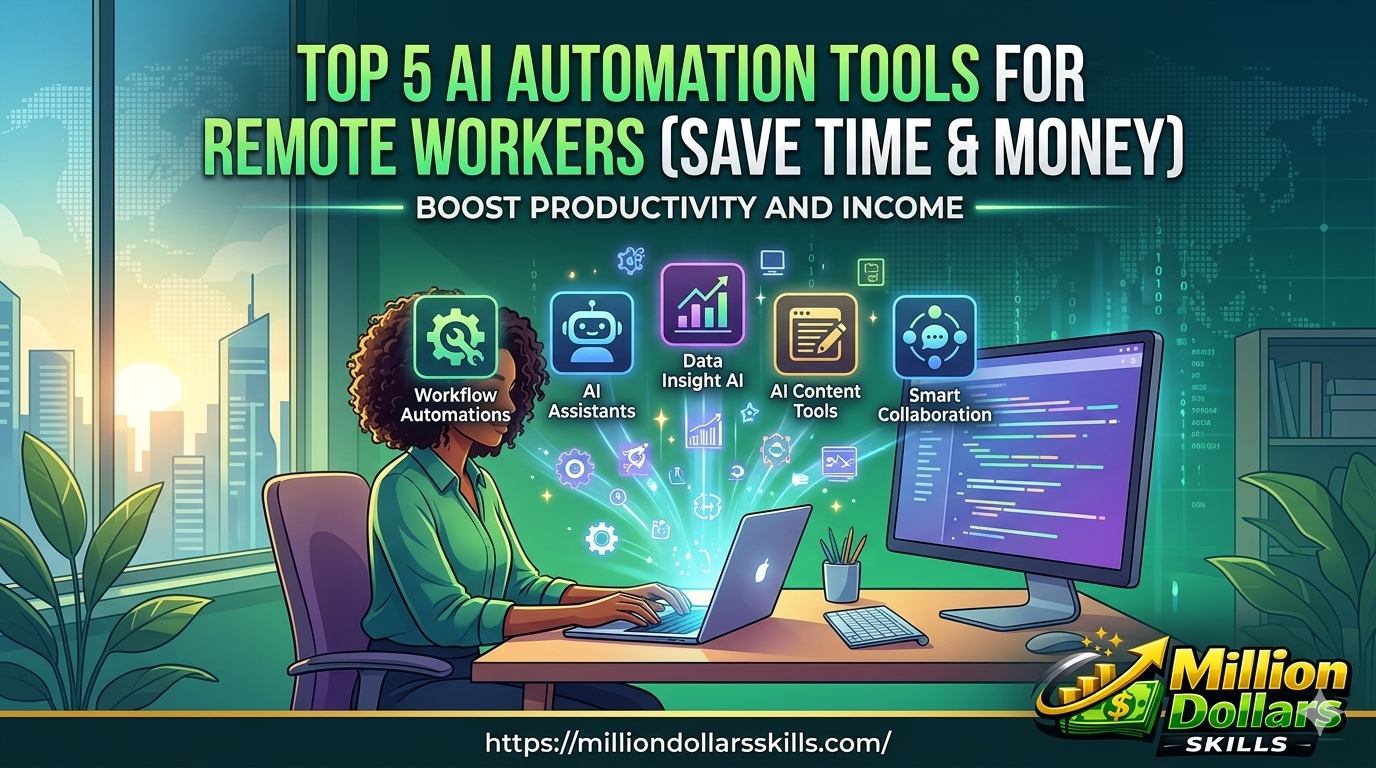
In this article, we will explore the top 5 AI automation tools for remote workers. Each tool has been tested for ease of use, ROI, and real-world impact. You will also find two real-life case studies, a comparison table, and answers to frequently asked questions.
By the end, you will have a clear action plan to work smarter, not harder.
What Makes a Great AI Automation Tool for Remote Workers?
Before diving into the list, let us set the criteria. A truly valuable AI automation tool for remote work must:
-
Save time by handling repetitive tasks.
-
Reduce costs by replacing manual effort or multiple subscriptions.
-
Integrate easily with existing tools like Slack, Gmail, Zoom, or Trello.
-
Be user-friendly without coding skills.
-
Provide clear ROI within weeks, not months.
Every tool on this list passes these tests.
Comparison Table: Top 5 AI Automation Tools at a Glance
| Tool Name | Best For | Starting Price | Key Automation Feature | Time Saved (Weekly) |
|---|---|---|---|---|
| Zapier | Connecting apps | Free / $19.99/mo | Multi-step workflows | 5–10 hours |
| Motion | Smart scheduling | $19/mo | AI calendar & task prioritization | 4–8 hours |
| Otter.ai | Meeting transcriptions | Free / $16.99/mo | Real-time AI notes & summaries | 3–6 hours |
| Browse AI | Web data extraction | $19/mo | Automated website monitoring | 4–7 hours |
| Mem | Note-taking & knowledge mgmt | Free / $10/mo | AI-organized second brain | 3–5 hours |
Tool #1: Zapier, The King of Workflow AI Automation Tools
Why remote workers love it: Zapier connects over 5,000 apps without writing a single line of code. If you do something repeatedly across different tools, Zapier can automate it.
Example automations:
-
Automatically save Gmail attachments to Google Drive.
-
Create Trello cards from Slack messages.
-
Send a welcome email to new CRM contacts.
Real-life case study:
*Sarah, a remote project manager at a digital agency, used to spend 7 hours weekly copying data between Asana, Google Sheets, and Slack. After setting up Zaps (automated workflows), she reduced that to 30 minutes. Her team now saves over 300 person-hours per year, equivalent to $9,000 in productivity savings.*
How it saves money:
By replacing manual virtual assistants for data entry tasks, Zapier pays for itself in less than a week for most remote workers.
Tool #2: Motion AI Calendar & Task Manager
Why remote workers love it: Motion automatically schedules your to-do list into your calendar. It considers deadlines, priority levels, and meeting times. No more guessing what to do next.
Key features:
-
Auto-reschedules tasks when meetings appear.
-
Blocks focus time for deep work.
-
Shows you exactly when you will finish each task.
Real-life case study:
*James, a freelance software developer working remotely from Spain, constantly missed deadlines because he underestimated task durations. Motion’s AI learned his working speed and started blocking realistic time slots. Within one month, his on-time delivery rate jumped from 68% to 94%. He also stopped working late nights, saving both sanity and energy.*
Why it saves money:
Better scheduling means fewer missed deadlines, less client churn, and no rush fees. For a freelancer charging $75/hour, saving just 4 hours a week adds $15,600 annually.
Tool #3: Otter.ai AI Meeting Notes & Transcription
Why remote workers love it: Otter joins your Zoom, Google Meet, or Microsoft Teams calls and transcribes everything in real time. After the meeting, it generates summaries, action items, and speaker-labeled notes.
Best use cases:
-
Client discovery calls.
-
Team stand-ups.
-
Interview notes for remote hiring.
-
Lecture or webinar recordings.
How it saves time:
Stop typing notes during meetings. Stay fully present. Afterward, search the transcript for any keyword. You will never forget an action item again.
Cost-saving angle:
Remote teams often pay for note-takers or meeting recap services. Otter replaces that need entirely. For a five-person team, that is easily $200+ saved per month.
Tool #4: Browse AI Automate Web Data Extraction & Monitoring
Why remote workers love it: Browse AI trains a robot to extract data from any website even if the site has no API. You can monitor competitor prices, track product listings, or scrape lead lists on autopilot.
Powerful automations:
-
Track price changes on e-commerce sites.
-
Monitor new job postings from specific companies.
-
Extract LinkedIn profile data (public info only).
-
Get alerts when a webpage changes.
Real-life scenario:
*Maria, a remote e-commerce analyst, used to spend 10 hours weekly checking competitor prices and updating her spreadsheets. Browse AI now runs these checks every 2 hours and sends her a clean Google Sheets report each morning. She saved 480 hours last year, which is 12 full work weeks.*
Money saved:
Manual web research can cost $20–$50/hour if outsourced. Browse AI does it for pennies. For a small remote business, this tool alone can save over $5,000 annually.
Tool #5: Mem AI-Powered Second Brain for Remote Workers
Why remote workers love it: Mem is not just another note-taking app. Its AI connects your notes automatically. It surfaces relevant information before you even search. Over time, Mem becomes a personalized knowledge assistant.
Remote workers lose an average of 2 hours weekly searching for old notes, links, or meeting insights. Mem eliminates that search time entirely. Organising your second brain this way is closely aligned with learning How to Dominate AI Search Rankings (Proven Strategy & Human-Centric Framework) because both require a clean, structured database of knowledge.
What makes Mem different:
-
No folders required. AI organizes everything.
-
Mem Chat lets you ask questions like “What did I learn about SEO last month?”
-
Integrates with Gmail, Slack, and Twitter bookmarks.
How it saves time:
Remote workers lose an average of 2 hours weekly searching for old notes, links, or meeting insights. Mem eliminates that search time entirely.
Money saved:
Better knowledge retention means fewer repeated mistakes and faster onboarding for new team members. For a remote agency, that easily translates to thousands in saved training costs.
How to Choose the Right Tool for Your Remote Work Style
Not every tool fits every person. Ask yourself three questions:
-
What task wastes most of my time?
-
Emails & scheduling → Motion or Zapier.
-
Meetings & notes → Otter.ai.
-
Research & data → Browse AI.
-
Information clutter → Mem.
-
-
What is my budget?
-
Many tools offer free tiers. Start there.
-
-
Do I work alone or in a team?
-
Zapier and Motion work well for both.
-
Mem shines for solo workers and small teams.
-
Pro tip: Do not install all five at once. Pick one tool, master it for two weeks, then add another. Automation is a marathon, not a sprint.
7 Actionable Tips to Maximize AI Automation ROI
7. Reinvest saved time – Do not fill freed hours with more work. Use them for learning, rest, or high-value clients. For instance, you can learn how to use AI in Marketing to Skyrocket Your ROI in 2026 and scale your business income with the extra hours you save.
-
Start with a time audit: Track your work for 3 days. Identify repetitive patterns.
-
Use free trials aggressively: Most tools offer 14–30 days free.
-
Build one automation at a time: Avoid overwhelm.
-
Document your workflows: Write down what you automated and why.
-
Review automations monthly: Delete what no longer serves you.
-
Train your team: One automated person helps little; an automated team helps big.
-
Reinvest saved time: Do not fill freed hours with more work. Use them for learning, rest, or high-value clients.
Conclusion: Work Smarter, Not Longer
The future of remote work belongs to those who embrace automation, not fear it. You do not need to work 60 hours per week to be productive. You do not need to drown in repetitive tasks or calendar chaos. The five AI Automation Tools we have covered, Zapier, Motion, Otter.ai, Browse AI, and Mem, represent a complete automation stack for modern remote professionals.
Let us recap the tangible benefits:
-
Zapier eliminates app-to-app drudgery.
-
Motion gives you back control over your calendar.
-
Otter.ai turns every meeting into searchable knowledge.
-
Browse AI scales your web research infinitely.
-
Mem ensures you never lose a valuable idea again.
Together, these tools can save the average remote worker 10–15 hours per week. That is not just time. That is health, family, creativity, and peace of mind. Financially, even a solo freelancer can save or earn an extra $10,000–$20,000 per year by redirecting automated hours toward billable work.
From a business perspective, remote teams that deploy these tools see lower burnout rates, faster project turnaround, and reduced need for overtime pay. Google AdSense publishers and content creators can especially benefit from automating research, transcription, and content organization, which allows them to publish more high-quality articles in less time.
Your next step is simple. Pick the one tool from this list that solves your biggest daily frustration. Sign up for its free trial. Spend one hour setting it up. Then measure how much time you save by day seven. You will likely never go back to manual work again.
From a business perspective, remote teams that deploy these tools see lower burnout rates, faster project turnaround, and reduced need for overtime pay. Google AdSense publishers and content creators can especially benefit from understanding GEO vs SEO: What Is Generative Engine Optimization & Why SEO Isn’t Enough in the AI Era, while automating research, transcription, and content organization allows them to publish more high-quality articles in less time.
The question is not whether AI automation tools are worth it. The question is: How soon will you start using them?
Frequently Asked Questions (FAQs)
1. Are these AI automation tools difficult to set up for non-technical remote workers?
Not at all. All five tools are designed for non-coders. Zapier uses a simple “if this, then that” logic. Motion requires only connecting your calendar. Otter.ai joins meetings automatically. Browse AI works by clicking on a webpage. And Mem feels like regular note-taking. Each tool offers video tutorials and live chat support.
2. Can I use the free versions and still save time?
Yes, especially with Zapier and Otter.ai. The free tiers are generous enough for individual remote workers. However, heavy users will benefit from paid plans starting at $10–$20 per month. The time saved usually outweighs the cost within days.
3. Will AI automation tools replace my job?
No. These tools handle repetitive, low-creativity tasks. They free you to focus on strategic thinking, relationship building, and creative problem solving areas where humans still excel. In fact, remote workers who master AI tools become more valuable, not less.
No. These tools handle repetitive, low-creativity tasks. They free you to focus on strategic thinking, relationship building, and creative problem solving areas where humans still excel. In fact, remote workers who master AI tools and stay ahead of changes like Generative Engine Optimization (GEO): Complete Guide to Ranking in AI Search Results become more valuable, not less.
4. Which tool saves the most money for remote teams?
Zapier consistently delivers the highest ROI for teams because it connects all other tools. But for solo remote workers, Motion or Browse AI often yields faster cash savings by reducing billable hours wasted on scheduling or research.
5. Are these tools safe for sensitive company data?
Yes, but always check each tool’s security page. Zapier is SOC 2 Type II certified. Otter.ai offers enterprise-grade encryption. Motion and Mem follow industry standards. Browse AI processes only public web data. For highly confidential work, avoid connecting internal databases to any third-party AI without IT approval.
6. How soon will I see results after implementing these tools?
Most users notice time savings within the first week. For example, setting up a single Zapier automation takes 10 minutes but saves 2 hours weekly. That is a 1,200% ROI in week one.