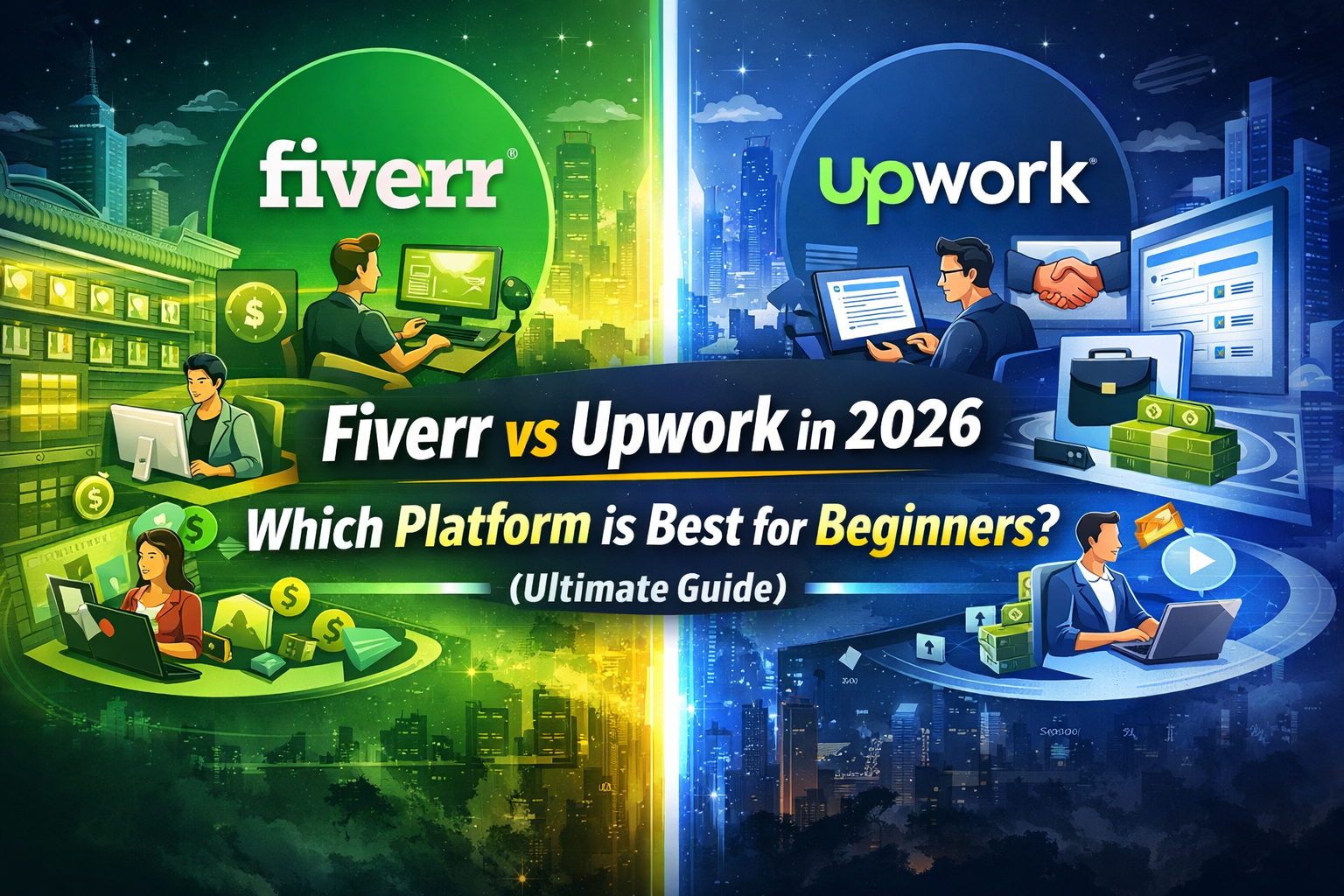
Fiverr vs Upwork in 2026: Which Platform is Best for Beginners? (Ultimate Guide)
Fiverr vs Upwork in 2026: Which Platform is Best for Beginners? (Ultimate Guide)
Let me tell you something I wish someone had told me when I started freelancing.
Choosing the wrong platform can cost you months of wasted time. I learned this the hard way. When I first began, I signed up for both Fiverr and Upwork on the same day. I thought, “More platforms, more chances, right?”
Wrong.
I spread myself too thin. My profiles were half-finished. My proposals were generic. My gigs were confusing. And for weeks, I heard nothing but silence.
The Crossroads Every Beginner Faces
Here’s the reality in 2026.
The freelance economy has changed dramatically. Both Fiverr and Upwork have evolved into powerful AI-driven ecosystems. They’re not just job boards anymore. They’re smart platforms that match freelancers with clients using algorithms, rankings, and reputation scores. But here’s the problem.
They work completely differently.
| Fiverr | Upwork |
|---|---|
| Clients come to you | You go to clients |
| Sell fixed-price “gigs” | Bid on projects |
| Storefront model | Bidding marketplace |
| You wait for orders | You chase jobs |
One isn’t better than the other. They’re just different.
And picking the wrong one for your personality and skills can make freelancing feel impossible.
The Million-Dollar Question
So here’s what you need to figure out.
Are you someone who wants to set up a shop and let clients find you? Or are you someone who prefers to hunt for opportunities and bid on projects that match your skills?
Your answer decides everything.
Fiverr works best for freelancers who are good at packaging their services. You create a gig. You set a price. You wait for buyers to place orders. It’s like opening an online store.
Upwork works best for freelancers who are good at selling themselves. You browse job postings. You write proposals. You compete with other freelancers. It’s like a traditional job search, but global.
Neither is easy. Neither guarantees success. But one will feel much more natural to you.
The freelance economy has experienced a massive evolution, and by 2026, the question isn’t just where to find work—it’s which platform’s AI-driven ecosystem aligns with your career goals. For beginners, choosing between Fiverr and Upwork can feel like standing at a crossroads, with each path offering unique opportunities and challenges. Both platforms dominate the digital freelancing space, but they operate very differently. Understanding their nuances is essential for new freelancers who want to earn in dollars, grow a sustainable career, and maximize their online potential.
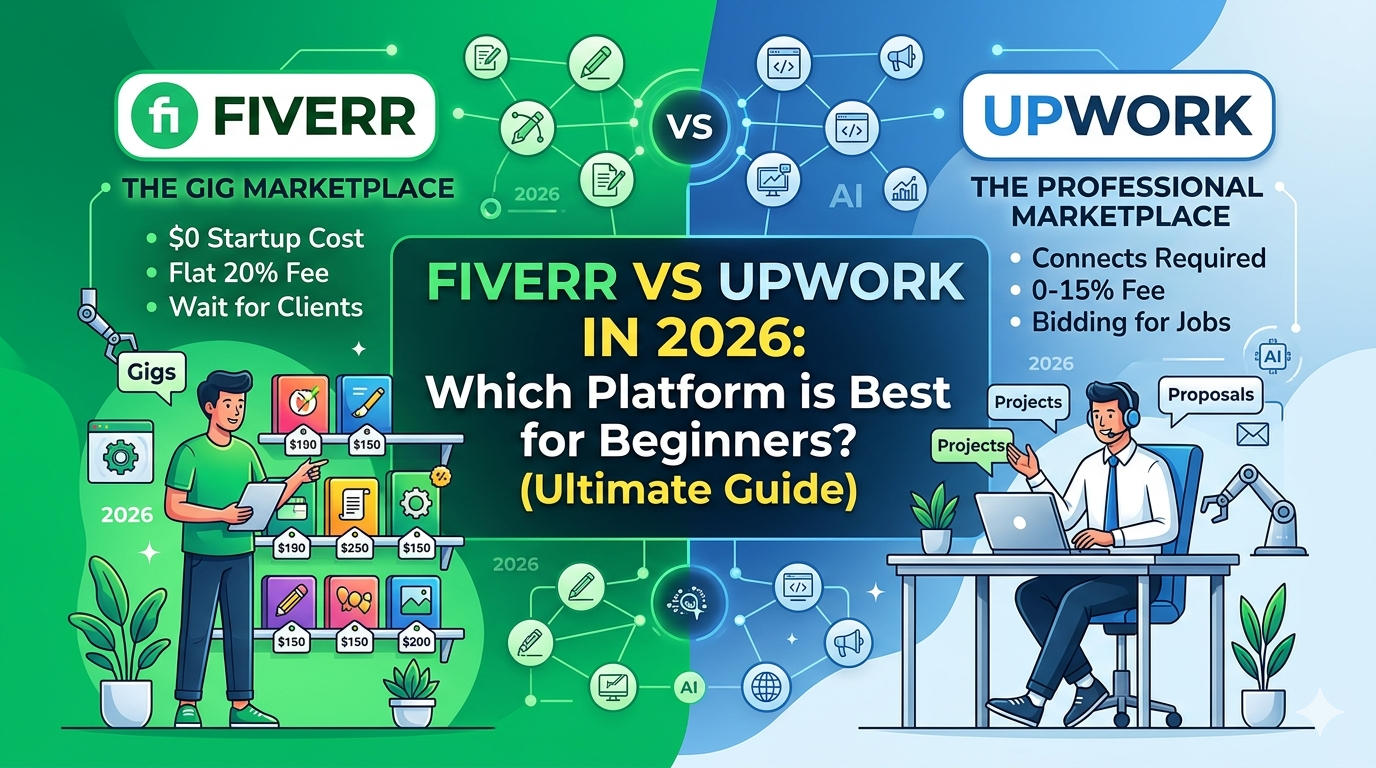
This guide provides a comprehensive comparison between Fiverr and Upwork, examining their fees, AI features, beginner-friendliness, SEO strategies, and earning potential, giving you a clear roadmap to succeed in 2026.
What’s Changed in 2026
Both platforms have added AI features that change how freelancers succeed.
Fiverr’s AI now helps sellers optimize their gig titles, descriptions, and tags. It suggests prices based on market demand. It even predicts which services will be popular next month.
Upwork’s AI analyzes your profile and recommends jobs you’re likely to win. It scores your proposals and gives feedback. It flags jobs that match your skills before other freelancers see them.
If you don’t understand how these systems work, you’re fighting with one hand tied behind your back. That’s exactly why I created this guide.
What You’ll Learn in This Comparison
By the end of this guide, you’ll know:
-
Which platform is better for absolute beginners
-
How fees compare (and where you’ll keep more money)
-
Which AI tools actually help you get hired
-
How to rank higher on both platforms
-
Realistic earning potential on Fiverr vs Upwork
-
Which platform fits your personality and goals
No fluff. No biased opinions. Just honest facts based on real experience and 2026 data.
A Quick Truth Before You Read Further
Here’s something most “gurus” won’t tell you.
You can succeed on both platforms. You can also fail on both.
The platform doesn’t do the work for you.
But choosing the right one for your style will make everything easier. You’ll waste less time. You’ll feel less frustrated. You’ll get your first client faster.
And in freelancing, momentum is everything.
1. Core Philosophy: Fiverr vs Upwork
Before diving into fees and tools, it’s crucial to understand how each platform functions at its core. Your experience on each platform will depend largely on its workflow and operational philosophy.
Fiverr: The “Productized Service” Model
Fiverr is built around Gigs, which function like products on a digital shelf. You list your service with a fixed price, such as “I will create a Shopify store for $150,” and buyers come to you. Once the Gig is live, the goal is to optimize it for SEO and let the orders flow.
Best For: Beginners who prefer to define their own scope, avoid constant bidding, and rely on a straightforward, pull-based system to attract clients.
Upwork: The “Bidding Marketplace”
Upwork operates more like a traditional job board. Clients post job listings, and freelancers must send proposals to compete for attention. Success requires well-crafted applications, competitive pricing, and strategic targeting.
Best For: Freelancers seeking long-term client relationships, hourly contracts, and projects that require complex deliverables.
2. 2026 Platform Fees: How They Impact Earnings
Understanding platform fees is critical, especially for beginners who want to maximize their earnings.
Fiverr Fees in 2026
- Commission: 20% of every order. For a $100 Gig, you earn $80.
- Buyer Fees: Buyers pay 5.5% plus $3 for orders under $100.
Verdict: Simple and predictable, but can feel heavy for high-ticket Gigs.
Upwork Fees in 2026
- Sliding Commission: 0%–15% depending on lifetime billing with the same client. New contracts typically start at 15%, decreasing as your relationship grows.
- Connects (Entry Fee): Freelancers need Connects (~$0.15 each) to apply for jobs, with high-budget listings costing 16–20 Connects.
Verdict: Better for long-term profit, but requires a small upfront investment to apply for jobs.
3. The AI Revolution: Tools for Beginners
AI integration is the biggest differentiator in 2026. Both Fiverr and Upwork now offer tools to help beginners compete with seasoned freelancers.
Fiverr Neo & Fiverr Go
- Fiverr Neo: An AI business assistant that matches buyers with the best-fitting Gigs based on skill and intent.
- Fiverr Go: Automates buyer queries so you never miss a lead.
Benefit for Beginners: Increases visibility and reduces dependency on manual outreach, especially if your Gig is SEO-optimized.
Upwork Uma
- Uma: AI that acts as a hiring agent, drafting proposals and estimating success probability before spending Connects.
- Smart Matching: Suggests high-potential clients, highlighting beginners with niche expertise.
Benefit for Beginners: Helps save time, target high-probability jobs, and improve proposal quality.
4. Beginner Friendliness: Pros and Cons
Fiverr: The “Zero-Budget” Hero
Pros:
- Free to start and create Gigs.
- Passive income once Gigs rank.
- Clear, standardized workflows.
Cons:
- Algorithm dependency can drastically reduce visibility.
- Risk of low-paying tasks ($5–$10) leading to burnout.
Upwork: The “Career Builder”
Pros:
- Higher-paying clients with bigger budgets.
- Long-term relationship opportunities.
- Payment protection with hourly tracking and escrow.
Cons:
- Requires initial Connect investment.
- Clients may ghost, wasting proposal effort.
5. Head-to-Head Comparison Table
| Feature | Fiverr (2026) | Upwork (2026) |
|---|---|---|
| Effort Type | Pull (Wait for buyers) | Push (Apply for jobs) |
| Startup Cost | $0 | Small investment (Connects) |
| Fee to Platform | Flat 20% | Sliding 0–15% |
| AI Support | Fiverr Neo & Fiverr Go | Uma (Proposal assistant) |
| Best For | Graphic Design, Writing, Voiceover | SEO, Web Dev, Consulting |
| Trust Factor | Milestone-based | Escrow & Hourly Tracking |
6. SEO Strategy: Get Noticed as a Beginner
On Fiverr:
- Niche Down: Be specific (“SEO Writing for Pet Tech Startups”).
- Keyword Optimization: Include main keywords in title, description, and tags.
- Launch Momentum: Share new Gigs on social media; early activity helps ranking.
On Upwork:
- 2-Second Rule: The first two lines of your proposal must capture attention.
- Specialized Profiles: Create multiple profiles for different niches (e.g., SEO, content marketing).
- Boost Strategy: Bid extra Connects only for high-probability jobs.
7. Choosing the Right Platform in 2026
- Start with Fiverr: If you have $0, want quick exposure, and a clear deliverable.
- Start with Upwork: If you have some investment for Connects, a high-income skill, and want long-term contracts.
Hybrid Approach: The most successful beginners use both. Set up 3–5 Fiverr Gigs for passive income and apply to 1–2 Upwork jobs daily for higher-paying contracts.
8. Final Verdict: The 2026 Strategy
Let me be straight with you.
After all this information, you might be wondering: Which platform should I actually choose? Here’s my honest answer after years of freelancing on both. It depends on you
Success in 2026 comes from consistency, AI leverage, and focusing on human value over automation. Fiverr rewards optimization and speed, while Upwork rewards professionalism and persistence. By mastering Million-Dollar Skills like SEO, digital marketing, and content creation, you can thrive on either platform. Commit to 90 days of focused effort, and your freelancing career will take off.
The Simple Decision Framework
Let me break this down so it’s painfully clear.
Start with Fiverr if:
-
You have $0 to invest upfront
-
You want clients to come to you (not the other way around)
-
You offer a clear, packaged service (logo design, voice-over, basic writing)
-
You’re patient enough to wait for your first order
-
You enjoy optimizing gigs and playing the ranking game
Fiverr is like opening a small shop on a busy street. You set up your display, set your prices, and wait for customers to walk in. Some days are slow. Some days are busy. But you don’t chase anyone.
Start with Upwork if:
-
You have a few dollars to spend on Connects
-
You have a high-income skill (development, strategy, consulting)
-
You prefer hunting for opportunities rather than waiting
-
You’re good at selling yourself through proposals
-
You want long-term contracts, not small one-off gigs
Upwork is like a job fair. You walk around, talk to employers, and compete for positions you actually want. It takes more effort upfront, but the rewards can be much bigger.
The Hybrid Approach (What Smart Beginners Do)
Here’s the secret most successful freelancers won’t tell you.
They use both.
Not at 100% effort on each. That’s how you burn out.
But strategically.
The Hybrid Formula:
| Platform | Effort | Goal |
|---|---|---|
| Fiverr | Set up 3-5 gigs, then optimize weekly | Passive income while you sleep |
| Upwork | Send 1-2 proposals daily | Active hunting for high-paying clients |
Fiverr brings in steady, smaller projects. Upwork brings in bigger, long-term contracts.
Together, they create a stable freelancing income that doesn’t crash when one platform has a slow month.
This is what works in 2026.
The One Thing That Matters More Than Platforms
I’ve seen freelancers succeed on Fiverr. I’ve seen freelancers succeed on Upwork. I’ve seen freelancers fail on both.
The platform wasn’t the difference.
Consistency was.
The freelancers who won were the ones who showed up every day. They optimized their gigs. They sent proposals. They improved their profiles. They learned from rejection.
They didn’t quit after two weeks of silence.
They kept going.
And that’s what you need to do.
What Success Looks Like in 2026
Here’s the reality.
Fiverr rewards optimization and speed. The freelancers who rank highest are the ones who understand SEO, use the right keywords, and deliver fast.
Upwork rewards professionalism and persistence. The freelancers who win the best contracts are the ones who write thoughtful proposals, communicate clearly, and follow through.
Neither platform rewards laziness. Neither platform guarantees success.
But both platforms offer incredible opportunities for freelancers who are willing to learn and adapt.
The Million-Dollar Skills That Work Everywhere
Here’s what I’ve learned.
The specific platform doesn’t matter as much as your skills.
Master skills that are in demand everywhere:
| Skill | Works on Fiverr? | Works on Upwork? |
|---|---|---|
| SEO | ✅ Yes | ✅ Yes |
| Digital marketing | ✅ Yes | ✅ Yes |
| Content writing | ✅ Yes | ✅ Yes |
| AI content editing | ✅ Yes | ✅ Yes |
| Virtual assistance | ✅ Yes | ✅ Yes |
| Graphic design | ✅ Yes | ✅ Yes |
Build these skills, and you can thrive on any platform. Ignore them, and no platform will save you.
Your 90-Day Commitment
Here’s my challenge to you.
Commit to 90 days of focused effort.
Not 30 days. Not “until I get bored.”
90 days.
Here’s what that looks like:
| Month | Focus | Goal |
|---|---|---|
| Month 1 | Learn one skill. Set up your profile. Send proposals. | Get your first small gig |
| Month 2 | Deliver great work. Ask for reviews. Optimize your gigs. | Get 3-5 positive reviews |
| Month 3 | Raise your prices. Apply to better jobs. Build momentum. | Land a long-term client |
After 90 days, evaluate. What’s working? What isn’t? Adjust and keep going.
But don’t quit before day 90. That’s when most freelancers give up. That’s also when success starts to compound.
The Truth About AI in 2026
One more thing.
AI is everywhere on both platforms now. Fiverr uses AI to match buyers with sellers. Upwork uses AI to recommend jobs and score proposals.
But here’s what AI can’t replace.
Human value. Your ability to think, communicate, solve problems, and build relationships.
Use AI as a tool. Let it help you write better gig descriptions. Let it suggest proposal improvements. Let it save you time.
But don’t let it replace your voice. Clients still want to work with real humans.
The freelancers who thrive in 2026 are the ones who leverage AI without losing their humanity.
Final Words (Read This Twice)
You now have everything you need to make a decision.
Fiverr. Upwork. Or both.
The platform won’t make you successful. You will. By showing up consistently. By delivering value. By refusing to quit when things get hard.
The freelance economy in 2026 is bigger than ever. Millions of dollars are flowing through these platforms every single day. Some of that money has your name on it. But only if you start.
Not next week. Not when your profile is perfect. Not when you feel ready.
Today.
Pick a platform. Set up your profile. Send your first proposal or create your first gig. Then do it again tomorrow. And the day after. That’s how freelancing careers are built. One small action at a time.
Your 90 days start now. 🚀
Frequently Asked Questions (FAQs) – Fiverr vs Upwork 2026
1. Which is better for beginners in 2026, Fiverr or Upwork?
Here’s my honest answer. It depends on your situation.
Choose Fiverr if:
-
You have $0 to invest upfront
-
You want a simple way to start (create a gig and wait)
-
You offer a clear service like writing, design, or voice-over
-
You’re patient enough to wait for clients to find you
Choose Upwork if:
-
You have a few dollars to spend on Connects
-
You have a high-income skill like development or strategy
-
You’re good at selling yourself through proposals
-
You want long-term contracts with professional clients
Both work. Just pick the one that fits your personality and budget.
2. Can I use both platforms simultaneously?
Yes. And honestly, this is what smart freelancers do.
Here’s the hybrid strategy that works:
| Platform | Role | Time Investment |
|---|---|---|
| Fiverr | Passive income | Set up 3-5 gigs, optimize weekly |
| Upwork | Active hunting | Send 1-2 proposals daily |
Fiverr brings in steady, smaller projects while you sleep. Upwork brings in bigger, long-term contracts when you hunt.
Just don’t try to master both at once. Start with one. Add the second once you have momentum.
3. Is Fiverr free to start in 2026?
Yes. Joining Fiverr and creating gigs costs absolutely nothing.
However, there’s one catch. Fiverr takes a 20% commission from every completed order.
So if a client pays you 100, Fiverr keeps 20. You keep $80.
Some freelancers don’t like this. But remember – Fiverr brings the clients to you. That 20% is their fee for customer acquisition.
Factor this into your pricing, and you’ll be fine.
4. How much does Upwork cost for beginners?
Joining Upwork is free. But applying for jobs requires Connects.
Here’s how it breaks down:
| Cost Item | Amount |
|---|---|
| Connects price | ~$0.15 each |
| Connects per job | 4-16 connects |
| Cost per proposal | 0.60–2.40 |
| Weekly cost (10 proposals) | 6–24 |
| Monthly cost (40 proposals) | 24–96 |
Think of Connects as a small investment. They filter out freelancers who aren’t serious. If you’re committed, it’s worth it.
5. Which platform pays more?
Short answer: Upwork pays more.
Long answer: It depends on your skill level.
| Platform | Typical Rates | Best For |
|---|---|---|
| Fiverr | 5–100 per gig | Small, quick tasks |
| Upwork | 20–150+ per hour | Long-term, high-value projects |
Upwork has higher-paying clients, especially for specialized skills like web development, digital strategy, and consulting.
Fiverr can also pay well, but usually through volume. A 10gigmightleadtoa500 package. But most Fiverr projects are smaller.
If you want long-term, high-paying contracts, focus on Upwork.
If you want quick, consistent, smaller projects – focus on Fiverr.
6. Is it hard to get your first client on Fiverr?
Yes, competition exists. But it’s not impossible.
Here’s what works in 2026:
-
Create 3-5 gigs (not just one)
-
Use SEO keywords in your titles and descriptions
-
Add a short video to your gig (huge ranking boost)
-
Target a specific niche (don’t be generic)
-
Share your gigs on social media
-
Be patient and keep optimizing
The first order is the hardest. Once you have one review, the second comes much faster.
7. How to get your first job on Upwork in 2026?
Here’s the formula that works:
| Step | Action |
|---|---|
| 1 | Write personalized proposals (no copy-paste) |
| 2 | Target low-competition jobs (newly posted, fewer than 10 proposals) |
| 3 | Maintain a strong niche-focused profile |
| 4 | Apply consistently – send 10-15 proposals daily |
| 5 | Start with smaller, lower-paying jobs to build reviews |
| 6 | Once you have 3-5 positive reviews, raise your rates |
Most beginners give up after 20 proposals with no replies. The winners send 100.
Don’t be the person who quits too early.
8. What skills are best for Fiverr in 2026?
Here’s what’s in high demand right now:
| Skill | Demand Level | Starting Price |
|---|---|---|
| Graphic design | Very High | 10−50 |
| Content writing | High | 10−30 |
| Video editing | High | 20−100 |
| SEO services | High | 20−80 |
| AI services (prompting, editing) | Very High | 15−50 |
| Voice-over | Medium | 10−50 |
Pick one. Get good at it. Then create your gig.
9. What skills are best for Upwork in 2026?
Here’s what pays the most on Upwork:
| Skill | Demand Level | Hourly Rate |
|---|---|---|
| Web development | Very High | 30−150 |
| Digital marketing | High | 25−100 |
| SEO strategy | High | 30−120 |
| App development | High | 40−150 |
| Project management | Medium | 25−80 |
| AI consulting | Very High | 50−200 |
These skills take longer to learn but pay significantly more.
10. Does AI affect freelancing on these platforms?
Yes, and it’s actually helping beginners.
Both platforms have introduced AI tools:
| Platform | AI Tool | What It Does |
|---|---|---|
| Fiverr | Fiverr Neo | Matches your profile with relevant buyers |
| Upwork | Upwork Uma | Recommends jobs and helps write proposals |
These tools help beginners get noticed without years of experience.
Use them. Learn how they work. They’re not replacing freelancers – they’re helping good freelancers get found.
11. How long does it take to start earning?
Here’s a realistic timeline based on hundreds of freelancers I’ve watched:
| Platform | Time to First Earning | With Consistent Effort |
|---|---|---|
| Fiverr | 1-4 weeks | Optimized gigs, good keywords |
| Upwork | 2-8 weeks | Daily proposals, personalized pitches |
Fiverr is faster to start. Upwork takes longer but pays more.
Neither happens overnight. Both reward patience and consistency.
12. Which platform is safer for payments?
Here’s the honest comparison:
| Platform | Payment Protection | How It Works |
|---|---|---|
| Upwork | Stronger | Escrow + hourly tracking + dispute resolution |
| Fiverr | Secure but less flexible | Milestone-based payments, buyer funds first |
Upwork has better protection for freelancers, especially for hourly contracts. Fiverr is safe, but you have less flexibility if a client wants changes.
Both are secure. Millions of freelancers use both without issues.
13. Can beginners earn $1000/month?
Yes. Absolutely.
Here’s what it takes:
| Monthly Goal | Daily Target | Weekly Target |
|---|---|---|
| $1000 | $33 | $250 |
If you charge $25/hour, that’s 40 hours of work per month. Or 10 hours per week.
With consistent effort and the right skills, most beginners hit $1000/month within 3-4 months.
Some do it faster. Some take longer. But it’s completely achievable.
14. Do I need experience to start?
No. But let me be clear about what you do need.
You don’t need:
-
A college degree
-
Years of work history
-
Fancy certifications
You do need:
-
Basic skills in your chosen field
-
Sample work to show clients (make it yourself)
-
Willingness to learn and improve
-
Patience to send many proposals
Start with what you have. Build as you go. Every expert was once a beginner.
15. Best strategy for beginners in 2026?
Here’s the exact strategy I recommend:
| Phase | Action | Duration |
|---|---|---|
| Phase 1 | Start with Fiverr for quick exposure | Month 1 |
| Phase 2 | Add Upwork for long-term clients | Month 2 |
| Phase 3 | Focus on one niche (don’t be generic) | Month 1-3 |
| Phase 4 | Stay consistent for at least 90 days | Entire journey |
Don’t jump between platforms. Don’t try to learn ten skills at once. Don’t quit when it gets hard.
Pick one platform. Pick one skill. Commit to 90 days.
That’s how freelancing careers are built.
16. What’s the single biggest mistake beginners make?
Trying to do everything at once.
They sign up for both platforms on the same day. They learn three different skills. They watch tutorials for everything.
Then they burn out in two weeks.
Don’t be that person.
Pick one platform. Pick one skill. Focus for 90 days.
That’s not a limitation. That’s a winning strategy.
17. Can I freelance from anywhere in the world?
Yes. That’s the whole point.
Both Fiverr and Upwork allow freelancers from almost every country. As long as you have:
-
A reliable internet connection
-
Basic English communication skills
-
A PayPal or Wise account for payments
You can compete globally. I’ve worked with clients in the USA while sitting in Pakistan. Location doesn’t matter. Skills do.
18. What’s the one piece of advice you’d give your younger self?
Start sooner. Stop waiting.
I wasted months “preparing” – watching tutorials, taking notes, feeling productive while earning zero.
The day I actually started – not planned, not perfected, just started – was the day everything changed.
Don’t be like me. Don’t wait.
Pick a platform today. Create your profile today. Send your first proposal or create your first gig today.
Even if it’s messy. Even if you’re scared.
Just start.
19. How do I deal with rejection?
Expect it. Accept it. Learn from it.
Every successful freelancer has been rejected more times than they can count.
| Rejection | What It Means | What To Do |
|---|---|---|
| No reply | They didn’t see your proposal | Improve your subject line |
| “Not selected” | Someone else was a better fit | Ask for feedback if possible |
| Lowball offer | They don’t value your skill | Politely decline or negotiate |
Don’t take rejection personally. It’s not about you. It’s about fit.
Each no moves you closer to a yes. Keep going.
20. Ready to start? What’s the first step?
Here’s exactly what to do right now:
| Step | Action | Time |
|---|---|---|
| 1 | Pick Fiverr OR Upwork (not both) | 2 minutes |
| 2 | Create your profile (use your real name) | 15 minutes |
| 3 | List your skills and write a short bio | 10 minutes |
| 4 | Fiverr: Create your first gig / Upwork: Send your first proposal | 20 minutes |
| 5 | Done. Repeat tomorrow. | – |
That’s it. 45-60 minutes of action.
Not next week. Not when you feel ready.
Today.
Your freelancing career starts now. 🚀